
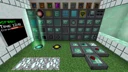
RFTools · End game
RFTools Dimensions Stable Mining World Lab
This end-game facility provides a dedicated infrastructure to craft, realize, power, and strip-mine custom RFTools dimensions without tearing apart the Overworld. By combining a safe dimension maintenance bay with a remote RFTools Builder quarry, you gain limitless bulk ores and base blocks while automatically shutting down the dimension when power runs low to prevent fatal dimensional collapse.
- Footprint
- 11x9x5 blocks (Overworld Lab) + 3x3x3 (Remote Pad)
- Power
- ~10 kRF/t to 50+ kRF/t depending on Dimlets (check JEI/Enscriber)
- Throughput
- ~15-30 blocks/sec via infused Builder
- Difficulty
- advanced
Flow diagram
How items, fluids and energy move through the setup, left to right.
Swipe sideways to see the whole diagram
Materials
| Item | Count |
|---|---|
| Dimlet Workbench | 1 |
| Dimension Enscriber | 1 |
| Dimension Builder | 1 |
| Dimension Monitor | 1 |
| Activity Probe | 1 |
| Dialing Device | 1 |
| Matter Transmitter | 2 |
| Matter Receiver | 2 |
| Charged Porter (or Advanced Charged Porter) | 1 |
| Powercell (Advanced) | 3 |
| Powercell Card | 4 |
| Builder | 1 |
| Shape Card (Clearing Quarry or Silk Touch Quarry) | 1 |
| Modular Storage | 2 |
| Storage Module (Tier 3) | 2 |
| Empty Dimension Tab | 1 |
| Dimensional Shard | 256 |
| Smart Wrench | 1 |
Build it step by step
1Assemble the Dimlet Engineering Station
Place the Dimlet Workbench and Dimension Enscriber side by side in your main Overworld lab, accompanied by a Modular Storage block loaded with a Tier 3 Storage Module. Use the Workbench to break down unwanted Unknown Dimlets into base parts (Memory, Energy, TypeController, and Base) and reassemble them into specific terrain, material, and time dimlets. For an ideal mining world, aim for a Flat Terrain Dimlet, a Solid Base Block Dimlet, and a Noon Time Dimlet to ensure stable spawning and easy quarrying.
2Inscribe a Stable Dimension Tab
Insert your chosen Dimlets and an Empty Dimension Tab into the Dimension Enscriber. Always specify every critical feature—terrain, biome, time, weather, and effects—or carefully pad with Digit Dimlets if you want a new seed of the same stable layout. Letting the generator randomly pick features often injects rare material or effect dimlets that spike the RF/tick maintenance cost exponentially. Extract the Realized Dimension Tab once you are satisfied with the listed cost (check the tooltip or JEI for exact modifiers).
3Wire the Phased Power Grid and Dimension Builder
Place your primary Advanced Powercell and link all Powercell Cards together inside its GUI slots. Set the faces contacting your main base reactor or energy conduits to Input, and set the face touching the Dimension Builder to Output. Infuse both the Powercell and the Dimension Builder to 100% using Dimensional Shards inside a Machine Infuser to drastically lower the dimension maintenance cost and raise wireless power transfer caps.
4Install the Dimension Monitor Cutoff
Place a Dimension Monitor adjacent to the Dimension Builder or within your control room, and configure its slider to emit a redstone signal when the dimension's internal energy reserves drop below 20%. Set the Dimension Builder's redstone mode to operate only when the safety condition is met, or wire the Monitor to an alarm and power-shedding relay. This guarantees you know when your power production falls behind before the dimension hits zero energy and kills anyone inside.
5Set Up the Overworld Teleportation Hub
Place a Matter Transmitter, a Matter Receiver, and a Dialing Device near your Dimension Builder, powering all three from your linked Powercell grid. Before stepping into the new dimension for the first time, shift-right-click your Overworld Matter Receiver with a Charged Porter (or Advanced Charged Porter) to bind your emergency return destination. Ensure the Charged Porter is fully charged with RF.
6Establish the Remote Landing Pad and Activity Probe
Insert the Realized Dimension Tab into the Dimension Builder and wait for the initialization percentage to reach 100%. Use the Dialing Device to lock the Matter Transmitter onto the newly generated Matter Receiver inside the dimension, then step onto the pad to teleport. Immediately place your spare linked Advanced Powercell next to the generated Matter Receiver to power it, and place an Activity Probe nearby so the dimension stays powered only while active or chunk-loaded.
7Deploy the RFTools Builder Quarry
Move at least 30 blocks away from your spawn platform and place the RFTools Builder, a third linked Powercell behind it, and a Modular Storage block (or modded Ender Chest) directly on top of the Builder. Configure a Shape Card (Quarry) to cover a massive box (such as 256x80x256) with an offset that keeps it clear of your teleport pad. Insert the Shape Card into the Builder, click the preview support anchor if you wish to verify boundaries, and apply a Redstone signal to begin rapid block extraction.
How it works
RFTools Dimensions separates world creation into compilation (Dimension Enscriber) and execution/upkeep (Dimension Builder). Once a Realized Dimension Tab is placed inside the Dimension Builder, it consumes a continuous stream of RF/tick first to initialize the world, and then to maintain its physical stability. If a dimension's internal buffer drops to 0 RF while a player is inside, the world collapses and delivers massive, normally fatal damage regardless of armor.
By routing power through linked RFTools Powercells infused with Dimensional Shards, you create a shared multi-dimensional energy buffer. The Overworld Powercell feeds the Dimension Builder to keep the world alive, while the remote Powercell in the mining dimension taps into the exact same RF pool to keep the return Matter Receiver and the RFTools Builder quarry running. If the quarry pulls too much power during a heavy digging cycle, the Dimension Monitor detects the dipping buffer early and alerts you or pauses auxiliary consumers.
The RFTools Builder acts as a chunk-friendly, lag-free quarry. With a regular Quarry Shape Card (instead of a Clearing Quarry card), it replaces every mined block with dirt, preventing flowing water and lava updates that normally lag servers and consume extra power. Mined items are pushed directly into the top inventory, allowing you to process millions of resources back home while the Activity Probe ensures the dimension cleanly deactivates when all players and chunkloaders are offline.
Upgrades and scaling
- Infuse the Dimension Builder, Powercells, Matter Transmitters, and the Quarry Builder to 100% with Dimensional Shards in a Machine Infuser to cut dimension RF upkeep, boost quarry speed, and minimize teleportation energy costs.
- Upgrade the Charged Porter to an Advanced Charged Porter so you can store up to 8 teleport targets and travel four times faster during an emergency dimension power failure.
- Replace the top Modular Storage on the quarry with an Ender Storage chest or a tesseract-style block, paired with a Void Shape Card filter inside the Builder to automatically trash cobblestone, dirt, and gravel at the source.
- Add Efficiency Dimlets (crafted via the Dimlet Workbench using rare dimlet parts) into your Dimension Enscriber recipe to reduce the ongoing RF/tick maintenance cost by up to 20% per dimlet.
Common mistakes
- Teleporting into a freshly created dimension without a fully charged and bound Charged Porter—the generated Matter Receiver in the new dimension spawns with zero RF and cannot be dialed for a return trip until you manually power it.
- Leaving random slots empty in the Dimension Enscriber—if you only insert a Diamond Ore Material Dimlet, the mod may randomly assign expensive terrain or liquid dimlets that push maintenance costs over 100,000 RF/tick.
- Forgetting to link the Powercell Cards before leaving the Overworld—an unlinked Powercell placed in the mining dimension will sit empty and leave your Builder and Receiver dead.
- Setting the Builder's Shape Card offset incorrectly so it mines through your own Matter Receiver, Activity Probe, and spawn platform.
- Running the Dimension Builder and the Quarry Builder off a single un-infused Low-Tier Powercell, which caps the RF/t output rate and starves the Dimension Builder even when your main base has plenty of stored energy.
FAQ
Why is my flat stone mining dimension still costing 40,000 RF/tick?
Even if you selected cheap terrain and base blocks, omitting feature, weather, sky, or effect dimlets causes the Dimension Enscriber to roll random features during creation. One randomly rolled expensive liquid or mob dimlet will skyrocket the upkeep. Always fill every major category with basic, cheap dimlets (like Normal Terrain, Clear Weather, Noon, and No Effects).
What happens if I create an identical combination of Dimlets twice?
Entering the exact same set of Dimlets produces the exact same dimension ID and links to the same world. To generate a brand-new world with the exact same mining parameters, add one or more Digit Dimlets to the end of the recipe in the Dimension Enscriber.
How do I stop the Builder quarry from getting stuck on fluids or protected blocks?
Open the Builder's GUI and click the skip/continue toggle button (which switches between stopping on unbreakable blocks and skipping past them). Also make sure to use a regular Quarry card that places dirt behind itself so flowing lava and water do not regenerate or obstruct the scan area.