
Powah! (Rearchitected) · Setup guide · Beginner
How to Set Up Wireless Inventory Charging with the Player Transmitter
Running out of power for your jetpack or mining drill while deep underground is a classic modded Minecraft frustration. By setting up a Player Transmitter from Powah! (Rearchitected), you can wirelessly beam Forge Energy directly into your inventory from your base. This guide will walk you through crafting the transmitter, binding it to your character, and upgrading it to work across dimensions.
What you need
- An established power source (such as a Furnator, Magmator, Thermo Generator, or Reactor)
- Energizing Orb and at least one Energizing Rod (for crafting intermediate Powah! components)
- Dielectric Paste, Dielectric Casings, and Capacitors (tier depends on your crafting budget)
- Player Aerial Pearl (crafted via the Energizing Orb)
- Blank Card and Photoelectric Pane (for the Binding Card)
- Access to live Endermen or Husks (required for upgrading pearls and cards)
- A chunk-loading method (from another mod or vanilla spawn chunks)
Step by step
1Craft a Player Aerial Pearl
Before building the transmitter itself, you need its core tracking component: the Player Aerial Pearl. First, craft a standard Aerial Pearl using your Energizing Orb setup (check JEI or the Powah! Manual for the exact ingredients and energy cost). Next, take that Aerial Pearl, find a Zombie or a Husk in the world, and right-click the mob with the pearl in your hand. This instantly transforms it into a Player Aerial Pearl.
Tip: Keep the mob trapped in a boat or a two-block pit so you can safely right-click it without taking constant damage.
2Build and Place the Player Transmitter
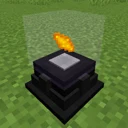
Use the Player Aerial Pearl, Dielectric Rods, a Dielectric Casing, and tier-appropriate Capacitors to craft a Player Transmitter (Starter through Nitro tiers are available). Place the Player Transmitter directly adjacent to an Energy Cell, or connect it to your main power grid using Powah! Energy Cables. Wait a few seconds to ensure the internal energy buffer of the transmitter begins filling up.
Tip: Even a Basic or Hardened tier transmitter is usually enough for early-game tools, while Blazing or Nitro tiers are better suited for power-hungry jetpacks.
3Create a Blank Binding Card
To tell the transmitter who to charge, you must craft a Binding Card. Combine Dielectric Paste and paper/metals as shown in JEI to make a Blank Card, then combine it with a Photoelectric Pane and an Ender Pearl to craft the standard Binding Card. At this stage, the card is unlinked and ready to be upgraded or bound.
4Upgrade to a Dimensional Binding Card
A standard Binding Card only charges your inventory when you are in the exact same dimension as the transmitter. To unlock cross-dimensional charging (so your Overworld base can power you in the Nether or the End), hold the standard Binding Card in your main hand and right-click a live Enderman. The Enderman will consume the basic card's properties and convert it into a Dimensional Binding Card in your hand.
Tip: It is much easier to upgrade the card on an Enderman before linking it to yourself, though you can also upgrade an already-bound card.
5Bind the Card to Your Character
Hold the Binding Card (or Dimensional Binding Card) in your main hand, look away from any interactive blocks or mobs, and right-click in the air. You will hear a subtle sound effect, and the item's tooltip will update to display your exact Minecraft username and UUID. Once bound to a player, the card cannot be rebound to someone else.
Tip: If you are setting up power for a friend on a multiplayer server, hand them the unbound card and let them right-click it themselves.
6Insert the Card and Test Wireless Charging
Right-click your powered Player Transmitter to open its GUI. Place your newly bound card into the central card slot inside the machine. Place a depleted RF/FE-compatible tool, battery, or jetpack into your inventory, armor slots, or hotbar, and watch its energy bar immediately begin ticking upward.
Tip: Check the configuration buttons in the transmitter's GUI to adjust redstone control if you want to toggle wireless charging on and off with a lever.
How it works
The Player Transmitter works by storing a player's unique identifier (UUID) via the inserted Binding Card. Every tick, if the transmitter has sufficient Forge Energy (FE) in its internal buffer, it scans the online player list for the matching UUID. Once found, it iterates through that player's active inventory slots—including main inventory, hotbar, off-hand, armor slots, and frequently modded Curios/Trinkets slots—looking for any items that implement standard energy-receiving capabilities.
The transfer speed is strictly bottlenecked by two factors: the tier of your Player Transmitter (from Starter up to Nitro) and the maximum input rate of the tool or armor piece being charged. Furthermore, because the machine physically exists in the world, it relies on active game ticks to push power. If you walk hundreds of blocks away or enter the Nether, the chunk containing your base will unload unless you keep it active, halting all wireless power delivery even if you are using a Dimensional Binding Card.
Common mistakes
- Forgetting to chunk-load the base: A Dimensional Binding Card allows power to cross dimensions, but it does not keep your base loaded. Always chunk-load the chunk containing your Player Transmitter and your power generators.
- Accidentally binding the card before upgrading: While you can usually still right-click an Enderman with an already-bound card, holding right-click too long will just re-trigger the air interaction. Look directly at the Enderman's hitbox at close range to ensure the upgrade registers.
- Using a Starter tier transmitter for late-game gear: Lower tiers transfer energy very slowly (check JEI or the in-game Manual for exact FE/t rates). If your jetpack drains faster than it charges, upgrade the transmitter tier by crafting it with higher-tier capacitors.
- Right-clicking the wrong mob for the Pearl: The Aerial Pearl requires a Zombie or Husk to become a Player Aerial Pearl, whereas the Binding Card requires an Enderman to become Dimensional. Mixing these two mobs up will result in nothing happening.
FAQ
Can one Player Transmitter charge multiple players at the same time?
Check the GUI of your specific transmitter tier—Player Transmitters can hold Binding Cards to charge players, and higher setups or multiple transmitters can be placed side-by-side on the same energy cable if you need dedicated bandwidth for a whole server team.
Does the Player Transmitter charge items inside backpacks or shulker boxes?
No. The transmitter only scans your direct inventory slots, armor slots, hotbar, off-hand, and supported equipment slots like Curios. Items nested inside storage containers must be taken out to charge.
Does the Player Transmitter work with items from other mods?
Yes! Powah! uses the standard energy system (Forge Energy / NeoForge Energy / TechReborn Energy depending on your modloader), meaning it will seamlessly charge Mekanism tools, Simply Jetpacks, Applied Energistics wireless terminals, and almost any other tech mod's gear.
By combining a powered Player Transmitter with an Enderman-upgraded Dimensional Binding Card in a chunk-loaded base, you can ensure your tools, weapons, and jetpacks remain at 100% battery no matter where you travel.