
Powah! (Rearchitected) · Getting started · Beginner
How to Get Started with Powah!: Dielectric Paste, Manual, and First Generators
Powah! (Rearchitected) is a powerhouse technology mod that scales from early-game coal generators up to massive nuclear reactors. In this guide, you will learn how to craft the foundational Dielectric Paste, set up your first Starter-tier Furnator, and build an Energizing Orb setup. Mastering these basics is mandatory because every advanced machine, cable, and energy cell in the mod relies on the energizing crafting system.
What you need
- Iron Ingots, Gold Ingots, and Redstone Dust
- Coal or Charcoal (in large quantities)
- Clay Balls
- Lava Bucket (or Blaze Powder)
- Glass and Nether Quartz
- A book (to craft the in-game Manual)
- Required dependencies installed: Cloth Config and GuideME
Step by step
1Craft the Powah! Manual and Wrench
Before placing any blocks, combine a standard Book with Dielectric Paste (or check JEI for the exact recipe in your version) to get the Manual. This book is powered by GuideME and contains exact numbers for every tier in your specific modpack. Next, craft a Dielectric Wrench using Iron Ingots and Dielectric Paste, as you will need it to rotate machines and configure their input/output faces.
Tip: Shift-right-clicking the air with the Dielectric Wrench changes its mode between Config, Link, and Rotate.
2Mass-Produce Dielectric Paste
Dielectric Paste is the backbone of Powah! and acts as the primary insulator for all wires and casings. Combine three Coal (or Charcoal), two Clay Balls, and one Lava Bucket (or Blaze Powder) in a crafting grid to produce a batch of Dielectric Paste. When using a Lava Bucket, only the lava is consumed, leaving the empty bucket behind for reuse.
Tip: Set up a Dripstone lava farm early on so you have infinite lava to craft thousands of Dielectric Paste without visiting the Nether.
3Mine Uraninite Ore Underground
While you do not need Uraninite for the absolute lowest tier of machines, you should mine it during your early resource runs. Uraninite Ore generates at various depths as Poor, Regular, and Dense variants. Mine it with an Iron Pickaxe or better and smelt the raw ore in a furnace to obtain Uraninite, which you will soon need for Reactors and advanced energizing recipes.
Tip: Use a Fortune-enchanted pickaxe on Dense Uraninite Ore to drastically multiply your raw ore yield.
4Craft Base Components and Capacitor
Turn your Dielectric Paste into structural parts by crafting Dielectric Rods (vertical columns), Horizontal Dielectric Rods (horizontal rows), and a Dielectric Casing. Next, craft Tiny Dielectric Capacitors using Redstone, Iron, and Dielectric Paste. These components act as the crafting ingredients for all Starter-tier machinery.
Tip: Always craft components in bulk; Powah! uses recursive crafting where lower-tier machines are consumed to craft the next tier up.
5Build and Power a Furnator (Starter)
Combine a Furnace, a Dielectric Casing, and Tiny Dielectric Capacitors to craft a Furnator (Starter). Place the Furnator in the world, right-click to open its GUI, and insert any solid furnace fuel like Coal or Planks. The machine will immediately consume the fuel to fill its internal Forge Energy (FE) buffer, pausing automatically when the buffer is full.
Tip: Check the right side of the Furnator GUI to change its Redstone control settings if you only want it running on a lever signal.
6Construct the Energizing Orb and Rods
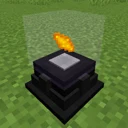
To unlock the rest of the mod, craft one Energizing Orb using Glass, a Dielectric Casing, and Horizontal Dielectric Rods. Next, craft at least one or two Energizing Rods (Starter) using Nether Quartz, a Tiny Dielectric Capacitor, and a Dielectric Rod. Place the Energizing Orb on the ground or on a table block with clear space around it.
Tip: You can place the Energizing Orb on the floor, wall, or ceiling, and you can surround it with multiple Rods to speed up crafting later.
7Connect Power and Energize Your First Ingot
Craft Energy Cables (Starter) and run a line from your Furnator to a block adjacent to your Energizing Orb, then place the Energizing Rod (Starter) directly on top of the cable. As long as the Rod is within range of the Orb, they will link automatically via a wireless laser beam. Place one Iron Ingot and one Gold Ingot inside the Energizing Orb; the Rod will beam energy into the Orb and fuse the metals into Energized Steel.
Tip: If the Rod does not link automatically, switch your Wrench to Link Mode, shift-right-click the Rod, and then right-click the Orb.
How it works
Powah! revolves around a strict seven-tier progression system: Starter, Basic, Hardened, Blazing, Niotic, Spirited, and Nitro. Almost every generator, cable, and battery exists across all seven tiers. Rather than building brand-new machines from scratch at each level, you upgrade your existing Starter machines by combining them with newly energized materials. This means your initial Starter Furnator and Starter Cables are never wasted.
The Energizing Orb is the core gating mechanic for these tiers. Unlike standard powered machines, the Orb cannot accept energy directly from a cable or adjacent generator. Instead, it requires Energizing Rods placed within a short radius around it. The Rods pull Forge Energy (FE) from attached cables or generators and beam it optically into the Orb whenever a valid recipe is detected inside.
Because energizing higher-tier materials requires massive amounts of FE, a single Starter Rod will eventually feel excruciatingly slow. The logic of the energizing system encourages horizontal scaling alongside vertical upgrades: you can surround a single Orb with a dozen Energizing Rods, and all of them will fire their lasers simultaneously to sum their power transfer rates.
Common mistakes
- Connecting Energy Cables directly to the Energizing Orb. The Orb has no power port; you must connect cables to the Energizing Rods instead.
- Putting too many items into the Energizing Orb at once. If a recipe calls for one Iron and one Gold, inserting a full stack of each will break the recipe detection and stop the Rods from firing.
- Throwing away Starter-tier machines when you want more power. Keep them, because the recipe for a Basic Furnator requires a Starter Furnator as a central ingredient.
- Forgetting to check the recipe requirements in JEI. Some energizing recipes require multiple distinct items inside the Orb simultaneously, while others only require a single item.
FAQ
Why isn't my Energizing Rod shooting a laser at the Orb?
First, make sure the Rod itself is receiving power from a cable or generator directly attached to its base. Second, verify that the exact item quantities for a valid recipe are inside the Orb. If it still fails, use the Dielectric Wrench in Link Mode to manually bind the Rod to the Orb.
How do I automate the Energizing Orb without jamming it?
Because the Orb stops working if extra items are inserted, you must use an inventory manager (like a comparator reader, modular router, or AE2 pattern provider set to blocking mode) that waits for the finished product to be extracted before inserting the next exact set of ingredients.
Is the Starter Furnator the only early-game power option?
No. Once you have Tiny Dielectric Capacitors, you can also craft a Starter Magmator (burns Lava), a Starter Thermo Generator (uses a heat source below and water inside for passive power), or a Starter Solar Panel.
Where can I see the exact FE/t generation and storage numbers?
Open the Powah! Manual in-game or hover over the machines in JEI. Because modpack authors frequently tweak configuration files, the in-game Manual dynamically displays the exact FE/t values active in your world.
By stockpiling Dielectric Paste, running a Starter Furnator, and mastering the Energizing Orb and Rod mechanic, you have unlocked the crafting pipeline required to scale your power grid all the way to Nitro-tier reactors.