
Powah! (Rearchitected) · Explained · Intermediate
Powah! Gadgets & Secret Recipes: Charged Snowball and Dimensional Cards
Beyond massive reactors and power lines, Powah! (Rearchitected) hides a suite of utility gadgets that manipulate weather, drain stray batteries, and beam energy across dimensions. In this intermediate guide, you will learn how to craft Charged Snowballs to summon lightning on demand, link Dimensional Binding Cards for wireless player charging, and manage portable power using Batteries, Ender Cores, and the Energy Discharger.
What you need
- An active Energizing Orb setup with at least two Energizing Rods connected to a stable power source (like a Furnator, Magmator, or Thermo Generator)
- Vanilla Snowballs, Ender Pearls, Blaze Powder, and Redstone
- Dielectric Paste, Dielectric Casing, and Capacitors (Basic to Nitro tier, check JEI or the Powah! Manual for exact crafting costs)
- 1x Binding Card and 1x Player Transmitter (any tier)
- Access to an Enderman (for upgrading the Binding Card)
Step by step
1Infuse a Charged Snowball
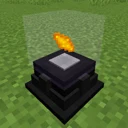
Place a single vanilla Snowball inside your Energizing Orb. Ensure your adjacent Energizing Rods are wired to a power generator with a substantial energy buffer, as charging a snowball requires a surprisingly dense burst of Forge Energy (FE). Wait for the lasers to converge until the snowball turns into a glowing Charged Snowball.
Tip: Use higher-tier Energizing Rods or place multiple low-tier rods around a single Orb to drastically cut down the crafting time.
2Summon Lightning on Command
Hold the Charged Snowball in your main hand, aim at a target block or mob outdoors with clear sky access, and right-click to throw it. Upon impact, the snowball discharges its stored energy into the atmosphere, instantly calling down a real lightning bolt at the point of collision. You can use this to create Charged Creepers, transform Villagers into Witches, or trigger modded lightning-rod generators.
Tip: Keep a few Charged Snowballs in your storage if you play with mods that require lightning strikes for crafting, saving you from waiting for a natural thunderstorm.
3Craft an Ender Core for Advanced Gadgets
Before making wireless or dimensional tools, you need an Ender Core. Place an Ender Pearl, a Dielectric Casing, and the required tier capacitor (usually Basic or Tiny, verify the exact recipe in JEI) into the Energizing Orb. Once energized, the resulting Ender Core acts as the foundational component for quantum power transfer in Powah!.
Tip: Automate Ender Core production early if you plan on building an Ender Network or high-tier Player Transmitters.
4Create a Dimensional Binding Card
Craft a standard Binding Card using Dielectric Paste and Redstone, then hold it in your hand and right-click an Enderman in the world. Alternatively, check JEI to see if your modpack allows infusing a standard Binding Card inside the Energizing Orb with Ender Pearls. Once converted into a Dimensional Binding Card, shift-right-click anywhere in the air to bind it to your player UUID.
Tip: Be careful not to miss and punch the Enderman normally; stand close and aim directly at its torso when right-clicking with the card.
5Install the Card in a Player Transmitter
Place a Player Transmitter down and connect it to your base's main Energy Cable line or directly against an Energy Cell. Open the Player Transmitter GUI and insert your bound Dimensional Binding Card into the card slot. All RF/FE-compatible items in your inventory, hotbar, and armor slots will now charge wirelessly, even if you travel to the Nether or the End.
6Assemble and Charge a Portable Battery
Craft a Powah! Battery (available from Starter up to Nitro tiers) using Dielectric Paste, Capacitors, and Redstone. To charge it, either carry it in your inventory while your Player Transmitter is active, or place it into the charging slot of an Energy Cell or Hopper. Hold the charged Battery and shift-right-click in the air to toggle its active state, allowing it to passively recharge tools in your hotbar while you mine or fight.
Tip: A high-tier Battery effectively acts as a portable backpack capacitor, extending the lifespan of high-drain mining drills and jetpacks.
7Drain Surplus Items with the Energy Discharger
Craft an Energy Discharger of an appropriate tier and connect it to your base's power grid via Energy Cables. Open its interface and place any unwanted charged items—such as looted modded batteries, old tools, or backup Powah! Batteries—into the input slots. The Energy Discharger safely strips the stored FE from the items and pumps it directly back into your base's Energy Cells.
Tip: This is the best way to recycle energy from lower-tier Batteries before you upgrade them to the next tier in a crafting table.
How it works
The Energizing Orb operates on a simple cumulative energy threshold mechanic. It does not consume power passively; instead, it reads the recipe inside it, requests a specific total amount of FE, and relies on nearby Energizing Rods to beam that energy in at their tier-capped transfer rate. When you craft a Charged Snowball or Ender Core, you are essentially compressing raw electrical grid power into a stable item state.
For the gadgets, Powah! separates energy storage from energy routing. A standard Binding Card only checks the chunk-loaded world matching the Player Transmitter's dimension for the bound player's UUID. Upgrading it to a Dimensional Binding Card removes the dimension check in the tile entity's tick logic, allowing the Player Transmitter to push energy packets directly into your inventory across any dimension as long as the Transmitter's chunk remains loaded.
Meanwhile, the Battery and Energy Discharger act as inverse I/O buffers. When toggled on, a Battery scans your player inventory every tick for items implementing the standard Forge/Fabric energy capability and pushes FE into them. Conversely, the Energy Discharger pulls FE out of items placed inside its internal inventory and converts it back into block-level energy that your Energy Cables can distribute.
Common mistakes
- Binding the card before upgrading it: If you bind a standard Binding Card to yourself first and then convert it into a Dimensional Binding Card (via the Orb or an Enderman), the NBT data containing your player ID may be wiped. Always upgrade the card first, then shift-right-click to bind it.
- Forgetting to chunk-load the Player Transmitter: A Dimensional Binding Card works across dimensions, but Minecraft unloads your base chunks when you enter the Nether or End. You must chunk-load the chunk containing your Player Transmitter and power source for wireless charging to continue working.
- Throwing a Charged Snowball indoors: Lightning requires sky access in many versions or will strike the roof block directly above you, potentially setting wooden roofs on fire or damaging you through thin ceilings. Always throw it in open spaces.
- Upgrading full Batteries without discharging them first: Depending on the Minecraft version and loader, upgrading a Battery to the next tier in a crafting grid might reset its stored energy value. Drain it in an Energy Discharger first so you do not waste hundreds of thousands of FE.
FAQ
Why isn't my Battery charging the tools in my hotbar?
By default, newly crafted Batteries are turned off to prevent accidental power drain. Hold the Battery in your hand and shift-right-click while looking at the air; a small tooltip or glowing effect will confirm it is now actively discharging into your inventory.
Can one Player Transmitter charge multiple players?
Check the GUI of your Player Transmitter tier and the in-game Powah! Manual. While a single Binding Card only binds to one player, certain configurations or multiple transmitters on the same cable line allow you to support an entire server team simultaneously.
Why is my Energizing Orb not crafting the Charged Snowball?
First, ensure ONLY one Snowball is inside the Orb; inserting a stack will break the recipe detection. Second, verify that your Energizing Rods are linked to the Orb (use a Powah! Wrench in Link mode if they aren't connecting automatically) and that they have enough power supply.
Can the Energy Discharger drain items from other mods?
Yes! As long as the item from the other mod uses the standard Forge Energy (FE), NeoForge Energy, or Fabric TechReborn Energy API and permits energy extraction, the Energy Discharger can drain it.
By mastering the Energizing Orb to craft Charged Snowballs and Ender Cores, and pairing Dimensional Binding Cards with Batteries and Energy Dischargers, you gain total control over weather manipulation and cross-dimensional wireless power in Powah! (Rearchitected).