OpenComputers Guides

Adds Lua-programmable modular computers, servers, drones, and robots for complex factory control and automation.

Computers & ProgrammingRedstone & LogicItem Logistics & PipesRF / Forge EnergyEU (IC2 / GregTech)Forge

What is OpenComputers?

OpenComputers is a Forge mod that introduces programmable, modular computers to Minecraft using Lua 5.2 and 5.3. Built with a focus on modularity and progression, players assemble devices from individual tiered components like cases, screens, graphics cards, and network cards. A standout technical aspect is that these computers persist their script state across saves, resuming code execution right where they left off even after chunks are unloaded.

Designed to blend seamlessly into survival gameplay, the mod is best suited for players and modpacks that already utilize automation for ore processing and crafting. Because the hardware is not cheap to produce, building a computer is not an early-game task, and players looking for an even steeper challenge can enable a hard mode recipe set. If a compatible power mod is present, the systems and their operations will also require energy to function, though this and nearly every other setting can be customized in the configuration files.

Inside a tech base, OpenComputers acts as a central hub for interacting with the world and other machinery. Beyond stationary terminals, players can deploy mobile robots and drones, portable tablets, compact microcontrollers, and multi-computer servers. Through native cable connections or the Adapter block, your scripts can monitor external energy cells, issue commands to other mods' blocks, and manage bundled redstone systems.

Learning path

  1. BeginnerHow to Build Your First Computer and Install OpenOSOpenComputers Hardware Tiers and Progression GuideOpenComputers Power Converter and Networking ExplainedOpenComputers Troubleshooting Guide: Boot Failures and Component Limits
  2. IntermediateOpenComputers Component API and Event Logic ExplainedHow to Automate Other Mods with the OpenComputers AdapterHow to Assemble and Program OpenComputers RobotsOpenComputers 3D Printer and Hologram Projector Setup Guide
  3. AdvancedOpenComputers Drones and Microcontrollers GuideHow to Build a Wireless Network and Server Rack Infrastructure

All OpenComputers guides

OpenComputers · Getting startedHow to Build Your First Computer and Install OpenOSIn this guide, you will learn how to assemble your very first modular Tier 1 computer in OpenComputers and install the standard OpenOS operating system onto its hard drive. Mastering this initial setup is essential because it provides the foundational terminal required to write Lua scripts, control redstone, and automate complex factory systems.Beginner8 steps
OpenComputers · ProgressionOpenComputers Hardware Tiers and Progression GuideOpenComputers relies on a strict modular tier system where every component, from memory sticks to graphics cards, must be carefully matched to your computer case. This guide will walk you through the progression from a basic Tier 1 machine up to a fully loaded Tier 3 Server Rack. Mastering these hardware limits ensures you never waste valuable resources on incompatible parts or crash your scripts due to insufficient memory.Beginner7 steps
OpenComputers · PowerOpenComputers Power Converter and Networking ExplainedIn OpenComputers, a single Cable carries power, component connections, and network messages all at the same time. While convenient, this all-in-one behavior causes massive chaos when you try to power two computers from the same energy source, as they will accidentally hijack each other's screens and keyboards. This guide explains how to convert modded energy using the Power Converter and how to isolate your systems using Power Distributors and Relays.Beginner7 steps
OpenComputers · ExplainedOpenComputers Component API and Event Logic ExplainedIn this guide, you will learn how to bridge the gap between your Lua scripts and physical hardware in OpenComputers by mastering the Component API and the event system. Understanding how component addresses, proxy tables, and event pulling work is essential for automating complex multi-device networks and interacting with other mods via the Adapter.Intermediate7 steps
OpenComputers · AutomationHow to Automate Other Mods with the OpenComputers AdapterIn this guide, you will learn how to use the OpenComputers Adapter and Redstone I/O blocks to read data from external tech mod machines and automatically control them using Lua scripts. Mastering this setup allows you to build smart power grids that toggle generators based on energy storage levels, prevent reactor meltdowns, and coordinate complex factory lines without manual intervention.Intermediate8 steps
OpenComputers · Setup guideHow to Assemble and Program OpenComputers RobotsIn this guide, you will learn how to construct a modular OpenComputers Robot using the Electronics Assembler and program it in Lua to automate resource gathering. Mastering robots allows you to offload tedious tasks like branch mining and crop harvesting to persistent, self-contained machines that interact with the world just like a player.Intermediate8 steps
OpenComputers · Setup guideOpenComputers 3D Printer and Hologram Projector Setup GuideTransform your OpenComputers network from a simple text terminal into an interactive architectural and visual suite. In this guide, you will learn how to configure a 3D Printer to fabricate custom multi-state decorative blocks, and set up a Hologram Projector to render real-time 3D voxel displays. Mastering these peripherals allows you to create custom doors, buttons, and dynamic base status displays that standard blocks cannot achieve.Intermediate7 steps
OpenComputers · AutomationOpenComputers Drones and Microcontrollers GuideIn this advanced OpenComputers guide, you will learn how to write and flash custom Lua BIOS scripts directly onto EEPROM chips to run headless automation tasks using Microcontrollers and flying Drones. Mastering these lightweight devices allows you to build cheap, energy-efficient redstone controllers and rapid aerial transport units without bears the resource overhead of full computer systems.Advanced7 steps
OpenComputers · Setup guideHow to Build a Wireless Network and Server Rack InfrastructureIn this advanced guide, you will learn how to construct a centralized server infrastructure and a multi-node wireless network in OpenComputers. Mastering Server Racks, Access Points, and Linked Cards allows you to centralize your Lua processing power and automate remote areas of your base without running endless lines of physical Cable.Advanced7 steps
OpenComputers · TroubleshootingOpenComputers Troubleshooting Guide: Boot Failures and Component LimitsSetting up your first modular system in OpenComputers often leads to frustrating red error screens or unexplained shutdowns. This guide will walk you through diagnosing and fixing the most common boot failures, memory crashes, and component limit errors. Mastering these troubleshooting steps ensures your automation networks and Lua scripts run reliably without hardware bottlenecks.Beginner7 steps

Popular OpenComputers addons

OC XNet Driver

Bridges OpenComputers and XNet to programmatically control item, fluid, and energy routing across networks.

Download OC XNet Driver on 9Minecraft
ActuallyComputers

Provides OpenComputers drivers and components to control and monitor Actually Additions machines.

Download ActuallyComputers on 9Minecraft
Thaumic Computers

Bridges OpenComputers and Thaumcraft 6 so computers can monitor and automate essentia and arcane machinery.

OC Sensors

Adds sensor blocks to OpenComputers for scanning nearby blocks, entities, and tile inventories.
OpenSecurity

Adds programmable security peripherals like keycard readers, biometric scanners, and turrets to OpenComputers.
OpenPrinter

OpenComputers addon that adds programmable printers for producing custom written pages and books.

OpenComputers Drivers for Tinkers Construct

Integrates OpenComputers with Tinkers' Construct, enabling programmable automation of smelteries and fluid casting.

OC-Minecarts

Adds programmable computer minecarts and rail components for OpenComputers.
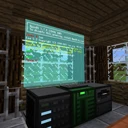
OpenScreens

Adds flatscreens and holographic displays for OpenComputers setups.

OpenGlasses2

Adds programmable augmented reality smart glasses controlled via OpenComputers.

Open Computers Refined Storage Driver

Connects OpenComputers to Refined Storage networks for programmable inventory and crafting automation.
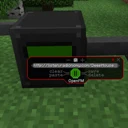
OpenFM

Adds programmable in-game radio blocks and speakers that integrate with OpenComputers.
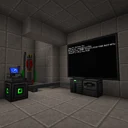
Opencomputers ICBM-Classic Addon

Lets OpenComputers programs interface with and launch missiles from ICBM-Classic machines.

OpenAutomation

Automation machines and laser systems designed to work alongside OpenComputers and RF mods.

OpenGlasses

Adds programmable augmented reality smart glasses controlled by OpenComputers.
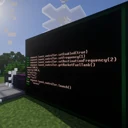
Galactic Computers

Bridges OpenComputers and Galacticraft to let computers monitor and control space equipment.

More tech mod guides