LaserIO Guides

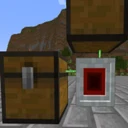
Wireless laser nodes for high-speed routing of items, fluids, energy, and redstone signals with card-based logic.

Item Logistics & PipesFluid HandlingEnergy TransportRF / Forge EnergyNo power neededForgeNeoForge

What is LaserIO?

LaserIO is a logistics and resource transportation mod created by Direwolf20, available for Forge and NeoForge across Minecraft versions 1.20.1, 1.20.4, 1.20.6, 1.21, 1.21.1, and 26.1.2. Originally conceived as a different project, the mod shifted focus to fulfill the community's desire for the return of EnderIO pipe mechanics.

This mod is ideal for players and tech modpacks looking for compact, highly customizable automation setups. By allowing multiple types of resource interactions on a single block face, it fits seamlessly into dense tech bases where versatile routing is essential.

Learning path

  1. BeginnerHow to Get Started with LaserIO: Nodes, Wrenches, and Basic NetworksLaserIO Cards Explained: Extract, Insert, Stock, and Sensor ModesHow to Manage Complex Setups: Card Holder and Card Cloner Guide
  2. IntermediateLaserIO Filtering Guide: Basic, Count, Tag, and NBT FiltersLaserIO Progression Guide: Node & Card Overclockers ExplainedHow to Automate Ore Processing on a Single Block Face with LaserIOLaserIO Power Guide: High-Speed FE Transfer and Energy LimitsHow to Build a Storage Sorting System: Channels, Priorities, and Round-Robin
  3. AdvancedLaserIO Automation Guide: Precision Auto-Crafting with Stock ModeLaserIO Logic Explained: Sensor Cards and Wireless Redstone Channels

All LaserIO guides

LaserIO · Getting startedHow to Get Started with LaserIO: Nodes, Wrenches, and Basic NetworksLaserIO is a high-performance logistics mod that lets you transfer items, fluids, energy, and redstone signals wirelessly through compact laser nodes. In this beginner guide, you will learn how to craft the core components, link Laser Nodes together using the Laser Wrench, and set up your first automated item transfer network. Mastering these basics will allow you to build clean, lag-free automation setups capable of interacting with multiple resource types from a single block face.Beginner8 steps
LaserIO · ExplainedLaserIO Cards Explained: Extract, Insert, Stock, and Sensor ModesIn this guide, you will learn how to master LaserIO cards to automate items, fluids, energy, and redstone signals across your base from a single block face. Understanding the four card types and their transfer modes—Insert, Extract, Stock, and Sensor—will allow you to build ultra-compact, lag-free logistics networks without tangled pipes. By the end, you will also know how to isolate pathways using color channels and reach hidden machine slots using sneaky directional settings.Beginner7 steps
LaserIO · ExplainedLaserIO Filtering Guide: Basic, Count, Tag, and NBT FiltersMastering the filtering system in LaserIO is essential for preventing clogged inventories and automating complex processing lines. In this guide, you will learn how to craft, configure, and install Basic, Count, Tag, and NBT Filters into your Cards. By understanding the underlying logic of these filters, you can seamlessly control exact item quantities, sort by mod tags, and handle intricate gear or storage automation.Intermediate6 steps
LaserIO · ProgressionLaserIO Progression Guide: Node & Card Overclockers ExplainedOnce your basic LaserIO networks are up and running, you will quickly hit throughput bottlenecks when feeding high-tier machines or massive storage systems. This guide explains how to craft and apply Card Overclockers and Node Overclockers to drastically increase transfer rates, lower tick intervals, and unlock faster parallel processing across your laser network.Intermediate6 steps
LaserIO · Setup guideHow to Automate Ore Processing on a Single Block Face with LaserIOTired of spaghetti piping cluttering your modded Minecraft base? This intermediate guide teaches you how to use LaserIO to supply power, pump fluids, insert raw ores, and extract finished products through a single block face of your processing machine. Mastering this technique will drastically shrink your factory footprint and simplify complex automation setups.Intermediate6 steps
LaserIO · PowerLaserIO Power Guide: High-Speed FE Transfer and Energy LimitsThis guide explains how to build a high-speed, wireless factory power grid in Minecraft using LaserIO's Energy Cards. By mastering energy extraction mechanics, channel logic, and Overclocker upgrades, you will eliminate power cables and overcome standard Forge Energy (FE/t) transfer bottlenecks.Intermediate6 steps
LaserIO · Setup guideHow to Build a Storage Sorting System: Channels, Priorities, and Round-RobinIn this intermediate guide, you will learn how to construct an automated, multi-chest storage sorting system using the LaserIO mod. By mastering color channels, priority numbers, and round-robin distribution, you will create an organized base where incoming loot is neatly categorized and overflow is safely managed without clogging your machines. This setup eliminates manual chest management and forms the backbone of an efficient mid-game logistics network.Intermediate7 steps
LaserIO · AutomationLaserIO Automation Guide: Precision Auto-Crafting with Stock ModeAutomating complex machines often leads to clogged input buffers when one ingredient overwhelms all available slots. By mastering LaserIO's Stock Mode and Count Filters, you can regulate your Laser Nodes to maintain exact item quantities inside any target inventory. This guide will walk you through setting up a jam-proof auto-crafting system that pulls only the exact ingredients needed at any given time.Advanced6 steps
LaserIO · ExplainedLaserIO Logic Explained: Sensor Cards and Wireless Redstone ChannelsIn this advanced guide, you will learn how to automate machine control in LaserIO using Sensor Cards and Redstone Cards across wireless channels. By reading exact inventory thresholds and applying boolean logic like AND, OR, and XOR, you can create smart, lag-free factories that automatically toggle machines on or off without laying down a single piece of vanilla Redstone dust.Advanced7 steps
LaserIO · Setup guideHow to Manage Complex Setups: Card Holder and Card Cloner GuideWhen building massive automation lines in LaserIO, manually configuring dozens of individual cards and carrying them around can quickly overwhelm your inventory and patience. This guide will teach you how to use the Card Holder to automatically organize your logistics components and the Card Cloner to instantly copy-paste complex setups across multiple Laser Nodes. Mastering these two utility tools will transform a tedious, repetitive chore into a fast, streamlined building process.Beginner7 steps

Popular LaserIO addons

LaserIO Unofficial Extended Life

Expanded fork of LaserIO with enhanced laser nodes for routing items, fluids, energy, and redstone.


More tech mod guides