Storage Drawers
Modular visual drawer networks for high-capacity bulk item storage and quick controller access.
 Storage Systems
 Item Logistics & Pipes
- Downloads
- 244,297,111
- Loaders
- Fabric, Forge, NeoForge
- Latest version
- 26.x
- Updated
- 2026-11-04
- Author
- Texelsaur
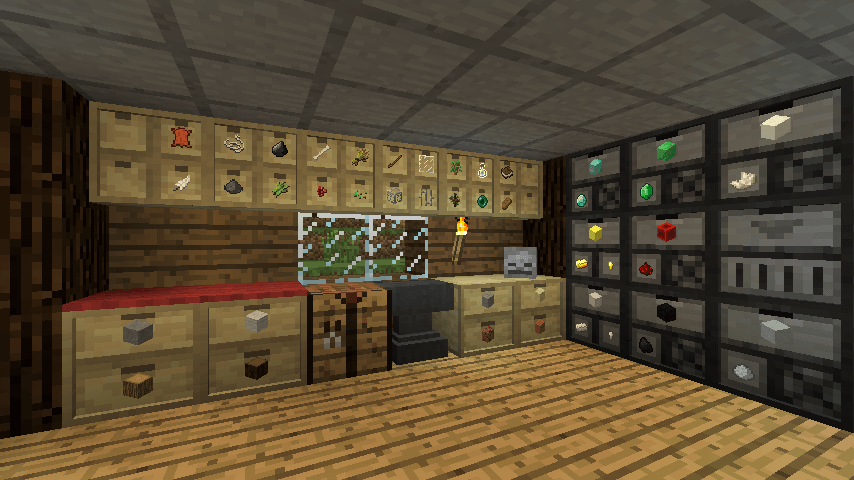


Overview
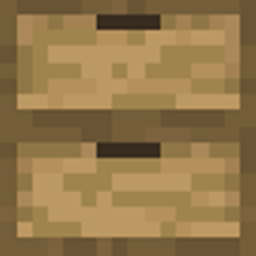
Storage Drawers is a dedicated item management mod originally created by Texelsaur, with this version serving as an unofficial port for Fabric and NeoForge. It provides specialized blocks designed to store massive amounts of a limited variety of items.
This mod is ideal for players who need bulk storage solutions and want their containers to blend into their builds using customizable framing. With remote access controllers and capacity upgrades, it fits naturally into organized bases.
For players looking to expand into liquid management, the optional Drawer Tanks add-on introduces fluid storage and Ender Chest-style linked containers using the same visual style and upgrade system.
Key features
- Drawers can store large quantities of a few specific item types.
- Capacity upgrades can be applied to increase how much a drawer can hold.
- Framing allows drawers to be customized to match the look of any block.
- Controllers provide a way to access stored items remotely.
- Simple click and shift-click interactions allow for quick insertion and removal of single items or full stacks.
- An accessible user interface displays exact item counts and lets you manage installed upgrades.
- The optional Drawer Tanks add-on adds drawer-styled fluid tanks, linked tanks, and linked drawers that function like Ender Chests.
How to get started
- Right-click a drawer to insert the full stack of items currently in your hand.
- Double-right-click a drawer to quickly deposit all compatible item stacks from your inventory.
- Left-click a drawer to take out a single item, or hold Shift and left-click to pull out a full stack.
- Hold Shift and right-click with an empty hand to open the drawer UI, where you can check exact item counts and manage upgrades.
FAQ
What is the main purpose of Storage Drawers?
It allows you to store large amounts of a few specific item types, offering capacity upgrades, custom block framing, and controllers for remote access.
Which mod loaders and versions are supported?
This release is an unofficial port for Fabric and NeoForge, and mod info lists support across Forge, Fabric, and NeoForge for Minecraft versions 1.9.4, 26.1, 26.1.1, 26.1.2, 26.2, and 26.3.
How do I check the exact number of items inside a drawer?
Shift+Right-Click the drawer with an empty hand to open its UI, which displays exact item counts and applied upgrades.
Can this mod store fluids as well as items?
Yes, by using the Drawer Tanks add-on (available for 26.2 on Fabric and NeoForge), which adds fluid tanks utilizing the same upgrades, keys, and textures, along with Ender Chest-style linked tanks and drawers.
Versions and loaders
| Minecraft | Loaders |
|---|---|
| 26.x | Fabric, Forge, NeoForge |
| 1.21 | Fabric, Forge, NeoForge |
| 1.20 | Fabric, Forge, NeoForge |
| 1.19 | Fabric, Forge, NeoForge |
| 1.18 | Fabric, Forge, NeoForge |
| 1.16 | Fabric, Forge, NeoForge |
| 1.12 | Fabric, Forge, NeoForge |
| 1.7.10 | Fabric, Forge, NeoForge |