Drawers & Bits
Specialized Storage Drawers designed to store and compactly manage Chisels & Bits microblocks.
 Storage Systems
 Addons & Integrations
- Downloads
- 8,684,201
- Loaders
- -
- Latest version
- 1.9.4
- Updated
- 2017-03-29
- Author
- Belgabor
Overview
Drawers & Bits is a specialized addon mod that bridges the gap between Chisels & Bits and Storage Drawers for Minecraft versions 1.9.4, 1.10.2, and 1.11.2. It introduces dedicated storage blocks and support specifically designed for managing and converting bits.
This mod is ideal for builders and modpack players who heavily utilize Chisels & Bits alongside a Storage Drawers organization system. Because it relies heavily on the specific version of Storage Drawers installed, players should be mindful of compatibility when updating their mods.
In an organized base, Drawers & Bits integrates seamlessly into existing drawer networks. Its custom drawers accept standard upgrades, can be locked, and connect to controller networks while providing rapid conversion between full blocks, individual bits, and chiseled designs.
Key features
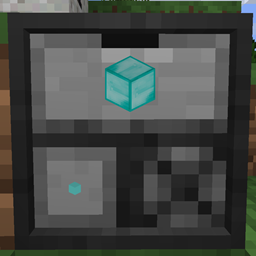
- The Bit Drawer functions similarly to a compacting drawer by automatically converting between full blocks and their 4096 constituent bits.
- Bit Drawers only accept blocks that can be broken down into bits, while still supporting drawer upgrades, locking, and drawer controller networks.
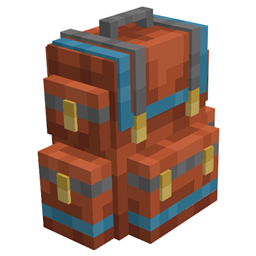
- Players can right-click a Bit Drawer with a bit bag or any bag supporting the IItemHandler Forge capability to deposit matching contents, or left-click with a bit bag to extract bits.
- Left-clicking a Bit Drawer's bit slot with a design or chiseled block produces that specific block made entirely out of the stored bit material.
- Right-clicking the bottom-right custom slot of a Bit Drawer with a design assigns that chiseled block to the slot for easy retrieval, which can be cleared using an empty design.
- The Bit Drawer Controller replaces a standard Drawer Controller on a network, working with both regular drawers and Bit Drawers while adding network-wide bit interactions.
- Left-clicking the Bit Drawer Controller with a bit bag fills the bag with a stack of every available bit type stored across the entire network.
- Double right-clicking the Bit Drawer Controller deposits the contents of all compatible bags in your inventory by default, and a config option allows doing the same for all chiseled blocks.
How to get started
- Install Drawers & Bits alongside compatible versions of both Chisels & Bits and Storage Drawers.
- Place a Bit Drawer and insert a full block that is valid for chiseling to automatically access both the full block and its bit form.
- Connect your Bit Drawers to a Bit Drawer Controller (ensuring you do not have a second controller on the same network) to manage all your bits and standard items from a single block.
- Use a bit bag to right-click the front of a Bit Drawer or Bit Drawer Controller to quickly dump collected bits into your storage system.
- Right-click the bottom-right custom slot on a Bit Drawer with a saved design to set up quick crafting for frequently used chiseled blocks.
- Check the configuration file if you wish to disable double right-clicking emptying all compatible bags, or if you want to enable double right-clicking to insert all chiseled blocks from your inventory.
FAQ
What mods are required to use Drawers & Bits?
It is an addon that requires both Chisels & Bits (by AlgorithmX2) and Storage Drawers (by jaquadro) to function.
Is there a storage limit I should be aware of when upgrading Bit Drawers?
Yes. Because one block equals 4096 bits, increasing the storage capacity or upgrade values in the config can cause you to rapidly hit Storage Drawers' internal item limit at 8191 stacks of 64 blocks, though default settings are completely fine.
Can I use bags from other mods with the Bit Drawer and Bit Drawer Controller?
Yes, alongside the standard bit bag, bags from other mods will work for depositing items as long as they support the Forge IItemHandler capability.
Can I use both a standard Drawer Controller and a Bit Drawer Controller on the same network?
No. A drawer network can only have one controller, though the Bit Drawer Controller works with all regular drawers in addition to Bit Drawers.