Pipe Goggles
Wearable goggles that let you see hidden cables, pipes, and conduits through walls.
 Tech Tools & Armor
 Item Logistics & Pipes
- Downloads
- 12,217,816
- Loaders
- Forge, NeoForge
- Latest version
- 1.21
- Updated
- 2025-11-20
- Author
- davenonymous
Overview
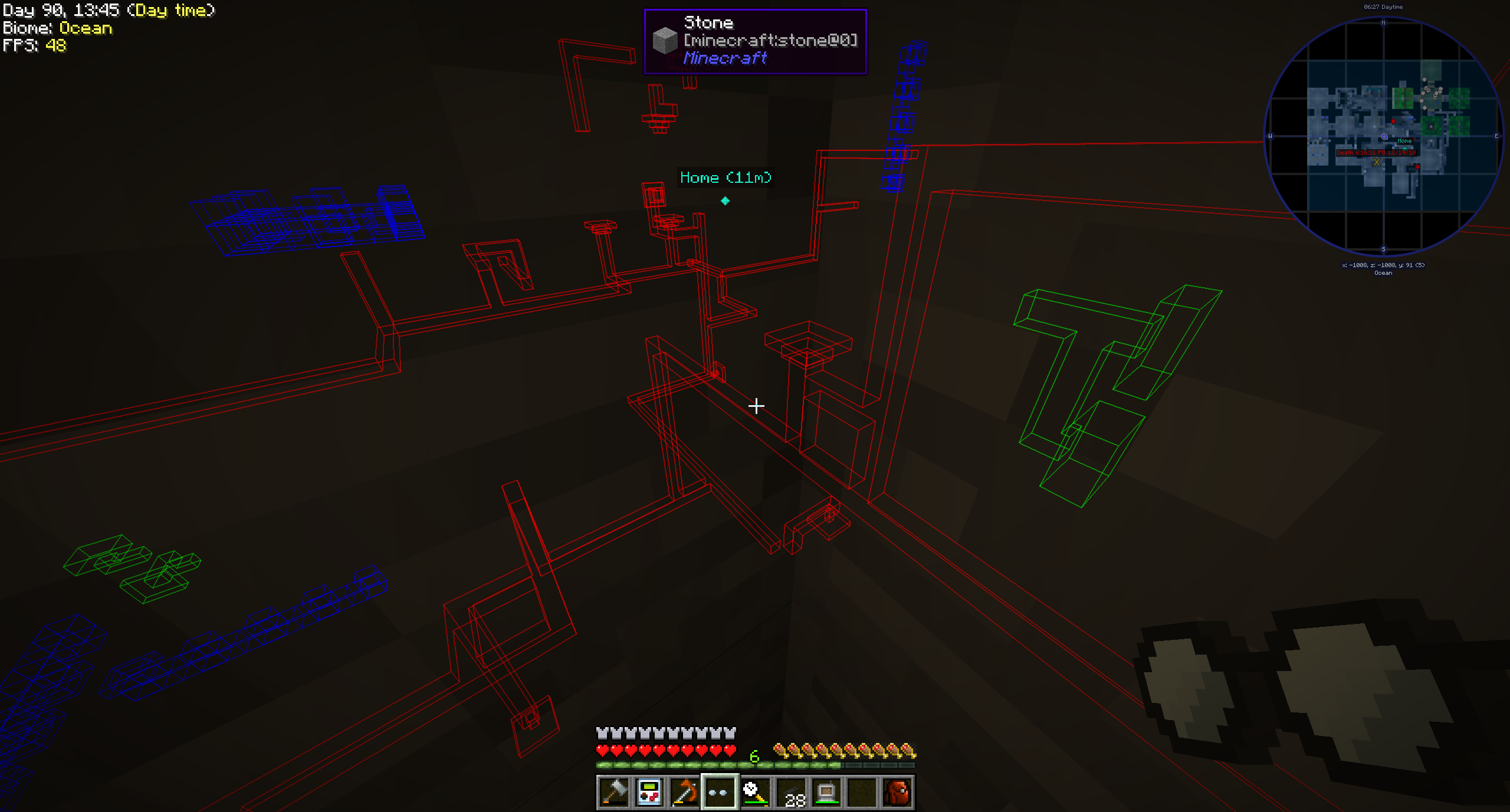
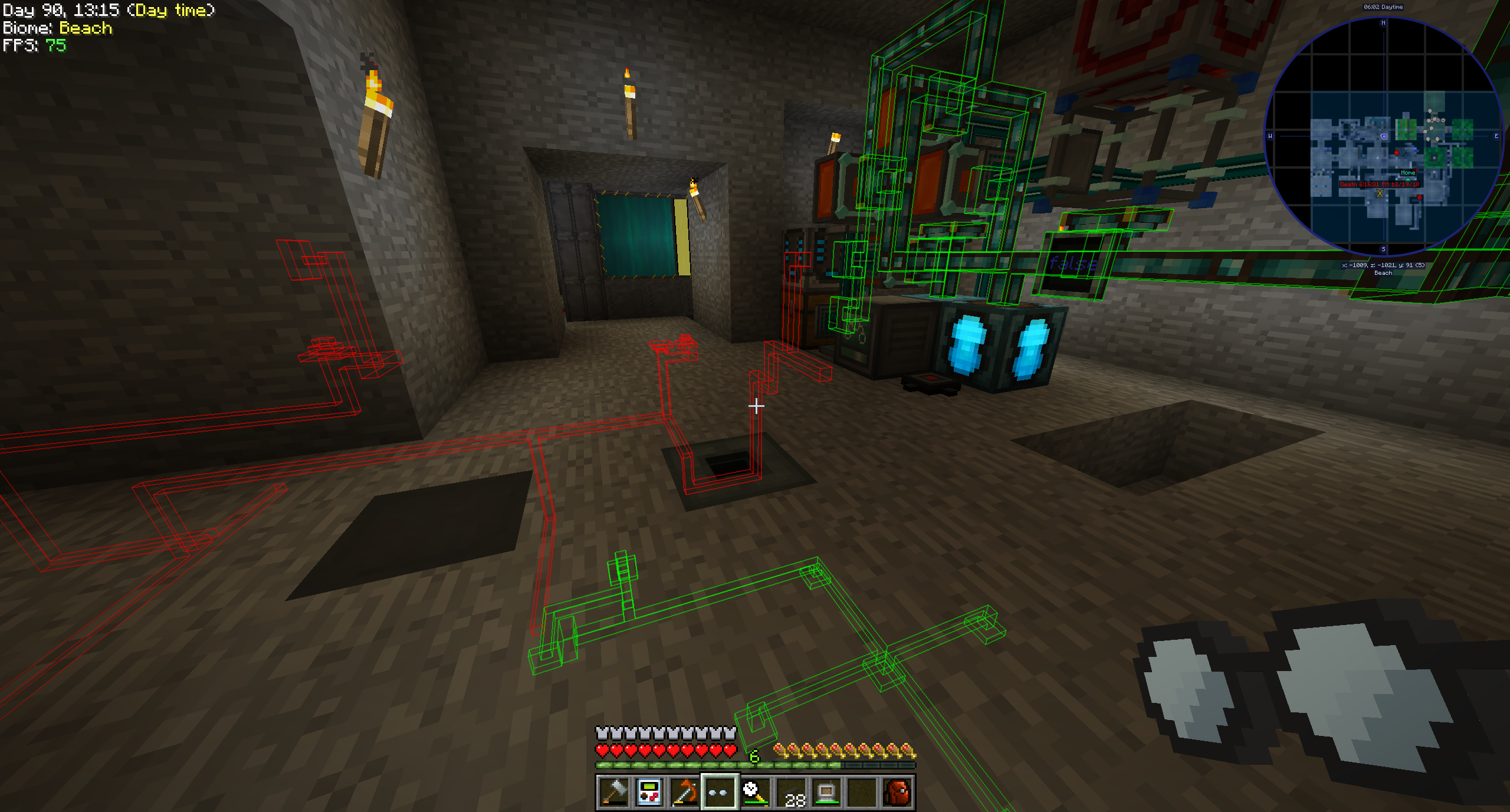
Pipe Goggles is a focused Minecraft utility mod that introduces a single piece of equipment: the Pipe Goggles. When worn, this item grants players the ability to view hidden plumbing and cabling directly through solid walls.
This tool is well-suited for technical players and complex modpacks running on Forge or NeoForge across versions 1.12, 1.12.1, 1.12.2, 1.14.4, and 1.21.1. With compatibility for numerous logistics mods as well as vanilla Redstone, it easily integrates into many different technical setups.
Inside a busy tech or automation base, managing concealed infrastructure often means breaking down walls to trace connections. Pipe Goggles eliminates this guesswork by highlighting specific networks on demand, allowing builders to maintain clean base aesthetics while still easily troubleshooting and expanding their routing.
Key features
- The mod adds a single wearable item that makes various types of plumbing visible through walls.
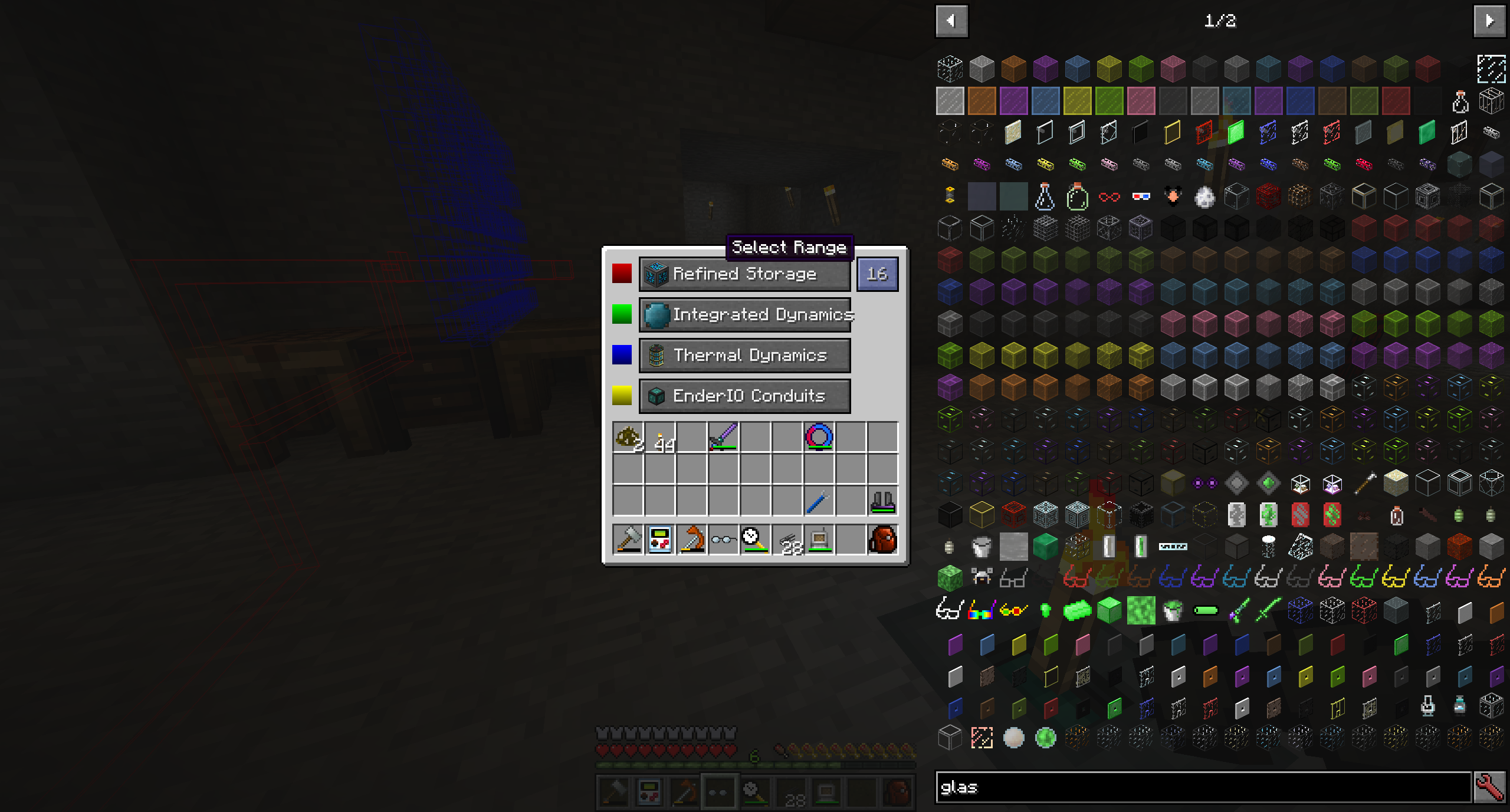
- An interactive configuration GUI lets players assign specific pipes to colored slots to filter what they want to see.
- Three distinct operating modes allow the display to be set to Always On, Always Off, or Automatic, which only highlights networks matching the pipe currently held in the player's hand.
- Visual customization settings let users adjust the viewing range, the opacity of the highlights, and the thickness of the rendered lines.
- Depending on how the mod is configured, the goggles may require power in order to function.
- Built-in compatibility covers a wide selection of tech mods across different Minecraft versions, including Mekanism, Applied Energistics 2, Refined Storage, EnderIO, Create, and Integrated Dynamics.
- In version 1.21.1 and above, players and pack developers can add custom support for other mods using JSON files inside a data pack.
How to get started
- Obtain a pair of Pipe Goggles and check if your mod configuration requires you to charge them with power before use.
- Hold the goggles in your hand and right-click to open the built-in configuration GUI.
- Place the specific pipe or cable items you wish to track through walls into the colored slots inside the menu.
- Select your preferred active state between Always On, Always Off, or Automatic mode.
- Adjust the detection range, line thickness, and highlight opacity settings in the interface until the overlay is comfortable to read.
- Equip the goggles—and hold a matching pipe in your hand if using Automatic mode—to immediately view your hidden networks through walls.
FAQ
What does the Pipe Goggles mod do?
It adds a single wearable item that allows you to see configured pipes, cables, and vanilla redstone through solid walls.
How does Automatic mode work compared to the other modes?
While Always On continuously displays all configured pipes and Always Off hides them completely, Automatic mode only highlights a pipe network when you are actively holding a matching pipe item in your hand.
Which tech mods are compatible with Pipe Goggles?
Compatibility depends on your Minecraft version: 1.12 supports mods like Thermal Dynamics, Extra Utilities 2, and Immersive Engineering; 1.14 supports Simple Storage Network and Inspirations; 1.21.1 supports Create, Modern Industrialization, LaserIO, Pipez, Oritech, and vanilla Redstone, while mods like Refined Storage, Mekanism, EnderIO, Applied Energistics, and Integrated Dynamics are supported across multiple versions.
Can I add support for pipes from other mods that are not included by default?
Yes, in Minecraft 1.21.1 and above, you can add support for additional mods by creating a JSON file in a data pack that defines the target block IDs or tags to highlight and the item IDs or tags that trigger Automatic mode.
Versions and loaders
| Minecraft | Loaders |
|---|---|
| 1.21 | Forge, NeoForge |
| 1.12 | Forge, NeoForge |