ME Requester
Automates stock keeping in AE2 networks by continuously requesting items and fluids to maintain set thresholds.
 Auto-Crafting
 Storage Systems
 Addons & Integrations
- Downloads
- 60,916,152
- Loaders
- Fabric, Forge, NeoForge
- Latest version
- 26.x
- Updated
- 2026-11-20
- Author
- Relentless



Overview
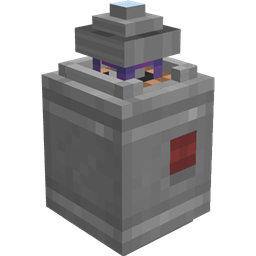
ME Requester is an automation add-on designed specifically for Applied Energistics 2 (AE2) networks. It introduces a specialized block that automatically maintains stock levels for both items and fluids, initiating crafting jobs whenever your stored supply falls below a user-defined threshold.
This mod is ideal for players and modpacks focused on storage management and automated crafting within an AE2 environment. It is available across Fabric, Forge, and NeoForge for Minecraft versions 1.18.2, 1.19.2, 1.20.1, 1.20.4, 1.21.1, and 26.1.2.
In a tech-focused base, the mod streamlines resource readiness by ensuring components and fluids are always crafted ahead of time. Furthermore, players can oversee their entire stock-keeping setup from a single location using the dedicated ME Requester Terminal.
Key features
- Each ME Requester block handles 5 stock requests by default, which can be adjusted up to 64 in the configuration.
- Individual requests feature an on/off switch along with customizable settings for target stock amounts and crafting batch sizes.
- The system supports both items and fluids, allowing you to specify decimal quantities for fluid requests.
- Every request displays its current operational status, including idle, missing ingredients, no crafting CPU, crafting, or exporting.
- The ME Requester Terminal provides a searchable, name-grouped overview of every Requester connected to your network.
- You can easily transfer settings between different Requester blocks using a Memory Card.
- The Requester block visually indicates when its crafting requests are actively running.
- Server and pack administrators can configure the request slot count, idle power draw, and AE2 channel consumption.
How to get started
- Connect an ME Requester block to your existing Applied Energistics 2 network.
- Open the block's interface and assign items or fluids by dragging or shift-clicking items and buckets directly into the request slots.
- Set your desired target stock amount and crafting batch size for each slot, then toggle the request on.
- Monitor the status indicator on each request to verify if it is idle, crafting, exporting, or halted due to missing ingredients or lacking a crafting CPU.
- Install an ME Requester Terminal on your network—or use the wireless version if you have AE2WTLib installed—to search and manage all your Requesters from one interface.
FAQ
What is the main purpose of the ME Requester mod?
It automatically keeps specified amounts of items and fluids in stock within an Applied Energistics 2 network by triggering crafting jobs whenever supplies drop below your set thresholds.
Which mods does ME Requester require or integrate with?
It is built for Applied Energistics 2 networks and includes an integration with AE2WTLib that adds a wireless version of the ME Requester Terminal.
How many items or fluids can a single ME Requester manage?
By default, one Requester block can manage 5 requests, though this limit can be increased up to 64 via the configuration settings.
Can I manage multiple ME Requesters without visiting each block?
Yes, you can use the ME Requester Terminal to view, search, and control all Requesters on your AE2 network from a single screen, or duplicate settings between blocks with a Memory Card.
Versions and loaders
| Minecraft | Loaders |
|---|---|
| 26.x | Fabric, Forge, NeoForge |
| 1.21 | Fabric, Forge, NeoForge |
| 1.20 | Fabric, Forge, NeoForge |
| 1.19 | Fabric, Forge, NeoForge |
| 1.18 | Fabric, Forge, NeoForge |