
Extreme Reactors · Setup guide · Advanced
The Fluidizer Guide: Liquid Fuels, Mixing & Verderium Setup
Transitioning from standard solid ingots to advanced liquid fuels unlocks the absolute highest energy yields in Extreme Reactors. In this guide, you will learn how to construct the Fluidizer multiblock, configure its injectors to mix base reactants into high-tier Verderium, and pipe these liquid fuels directly into your reactor using Fuel Injection Ports.
What you need
- Fluidizer Casings (and optional Fluidizer Glass for the faces)
- 1x Fluidizer Controller
- 1x Fluidizer Power Port
- 1x Fluidizer Output Port
- 1x or 2x Fluidizer Solid Injectors (or Fluidizer Fluid Injectors, depending on your mixing method)
- 2x Reactor Fuel Injection Ports (either Basic or Reinforced, matching your reactor tier)
- A working Reprocessor setup producing Blutonium, plus a steady supply of Yellorium
- Forge Energy (FE) power cables, item pipes, and fluid pipes from any compatible logistics mod
- A wrench (to toggle port input and output directions)
Step by step
1Plan Your Fluidizer Multiblock Frame
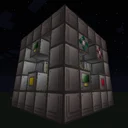
The Fluidizer is a hollow cuboid multiblock that requires an outer frame built strictly out of Fluidizer Casings. Unlike fixed-size machines such as the Reprocessor, the Fluidizer has flexible dimensions, though a compact 3x3x3 or 5x5x5 footprint is more than sufficient for most automated bases. Build the twelve outer edges using Fluidizer Casings, leaving the inner face blocks open for functional ports and Fluidizer Glass.
Tip: If you are unsure about the minimum or maximum dimensions allowed in your specific modpack, consult the in-game Patchouli manual ('On the Dynamics of Integration') or hover over the controller.
2Install Essential Ports and Controller
Place the Fluidizer Controller, the Fluidizer Power Port, and the Fluidizer Output Port anywhere into the open faces of your multiblock (never on the corners or edges). Connect a Forge Energy line to the Power Port so the machine can draw electricity for its melting and mixing operations. Attach a fluid extraction pipe or external fluid tank directly to the Fluidizer Output Port.
3Configure Injectors for Solid-to-Liquid Conversion
If you simply want to liquefy a single fuel type (such as turning solid Yellorium or Blutonium ingots into their fluid equivalents), install a single Fluidizer Solid Injector on one of the faces. Fill in all remaining gaps in the walls, roof, and floor with Fluidizer Casings or Fluidizer Glass until the multiblock forms and the Controller texture lights up. When you pump ingots into that single Solid Injector, the machine will melt them straight into liquid reactant.
Tip: Blocks of fuel can also be inserted into the Solid Injector for faster bulk processing; check JEI for the exact millibucket conversion ratios.
4Upgrade to Dual Injectors for Verderium Mixing
To create Verderium—the top-tier fuel in the mod—you must mix Yellorium and Blutonium together. Break one face block on your Fluidizer and install a second Injector. You have two structural choices: install two Fluidizer Solid Injectors to melt and mix solid Yellorium and solid Blutonium ingots in one go, or install two Fluidizer Fluid Injectors to blend pre-melted liquid Yellorium and liquid Blutonium from external tanks.
Tip: Using two Fluidizer Solid Injectors in a single multiblock is the most compact setup, as it eliminates the need to build two separate pre-melting Fluidizers.
5Automate the Reactant Inputs
Check JEI for the exact Verderium mixing recipe to confirm the required ratio of Yellorium to Blutonium. Set up filtered item pipes (or fluid pipes, if using Fluid Injectors) so that one injector exclusively receives Yellorium and the second injector exclusively receives Blutonium. Once both injectors have sufficient material and the Power Port is energized, the Fluidizer will begin processing and push liquid Verderium out through the Fluidizer Output Port.
Tip: Always hard-filter your pipes so the two injectors never accidentally receive the same fuel type, which would halt the mixing recipe.
6Retrofit Your Reactor with Fuel Injection Ports
Shut down your Extreme Reactor and drain or remove any residual solid fuel and waste via your traditional Access Ports. Remove two casing blocks from the reactor's outer faces and replace them with two Reactor Fuel Injection Ports (ensure you use Basic or Reinforced ports to match your reactor's tier). You can keep your old solid Access Ports installed if you wish, or replace them entirely with casings.
7Set Inlet and Outlet Modes for Liquid Operation
Equip your wrench (or sneak-right-click with an empty hand, depending on your version's controls) to configure the directional flow of the two Reactor Fuel Injection Ports. Set one port to Inlet Mode (typically indicated by an inward-pointing arrow or blue coloration) and pipe your liquid Verderium directly into it. Set the second port to Outlet Mode (outward arrow or red/orange coloration) and connect a fluid extraction pipe leading to a waste tank to collect Rossinite, the liquid waste byproduct of Verderium.
Tip: Never let the Rossinite tank fill up completely; if liquid waste backs up into the core, it will choke the reactor's fuel capacity and lower your power output.
How it works
The Fluidizer operates as an internal state machine that changes its recipe logic based on the number and type of injectors built into its structure. When assembled with a single Fluidizer Solid Injector, it looks exclusively for single-ingredient phase-change recipes (Solid -> Fluid). When built with two Solid Injectors or two Fluid Injectors, it switches its internal registry check to alloying/mixing recipes, consuming reactants from both buffers simultaneously to synthesize higher-tier compounds like Verderium.
Inside the reactor, fuel rods do not actually distinguish between solid ingots and liquid millibuckets once the fuel enters the core; both are immediately converted into an abstract internal 'Reactant' value. However, traditional Access Ports can only insert or eject whole ingots, meaning waste cannot be extracted until enough fuel has burned to form a complete waste ingot. Reactor Fuel Injection Ports bypass this bottleneck by injecting and extracting reactants in fine fluid increments without any material loss or rounding delays.
Because Verderium is synthesized by combining base Yellorium with reprocessed Blutonium, it possesses superior fuel properties within the mod's Reactants Registry. It burns with significantly higher reactivity and energy density, generating massive heat and radiation per millibucket consumed, and decays into Rossinite fluid waste rather than Cyanite or Magentite.
Common mistakes
- Mixing Solid and Fluid Injectors on the same Fluidizer: The Fluidizer requires either one Solid Injector (for melting), two Solid Injectors (for solid mixing), or two Fluid Injectors (for liquid mixing). Combining one Solid and one Fluid Injector will prevent the multiblock from assembling or matching valid recipes.
- Unfiltered input pipes clogging both injectors with Yellorium: If both injectors fill up with the same reactant, the mixing recipe cannot trigger. Always lock each injector's pipe filter to a single dedicated fuel type.
- Trying to extract Rossinite through a standard solid Access Port: While Rossinite may have a solid form in JEI, a liquid-fed reactor equipped with Fuel Injection Ports expects to eject waste as a fluid. Ensure you have a second Fuel Injection Port explicitly toggled to Outlet Mode.
- Placing Fluidizer ports on the multiblock frame: Just like Reactors and Turbines, all Fluidizer ports, injectors, and controllers must be placed within the inner faces of the walls, floor, or ceiling—never on the outer edges or corners.
- Swimming in open pools of liquid fuel or waste: All fluid fuels and wastes can be placed in the world like water or lava, but doing so applies hazardous status effects (or extreme speed effects in the case of Rossinite). Keep them strictly contained within fluid tanks and pipes.
FAQ
Why isn't the liquid fuel rendering inside my Fluidizer Glass?
This is normal behavior. In current versions of Extreme Reactors, internal fluid rendering inside the Fluidizer multiblock is not visually displayed through the glass; check the Fluidizer Controller GUI to monitor your actual fluid levels.
How do I obtain the Blutonium needed to mix Verderium?
You must first build a Reprocessor multiblock (a fixed 3x3x7 structure). Feed your reactor's basic Cyanite waste and water into the Reprocessor to convert it into Blutonium, then route that Blutonium into your Fluidizer.
What can I do with the Rossinite waste produced by Verderium?
Currently, Rossinite is an end-of-line waste product with no further reprocessing recipe in standard Extreme Reactors. You can void it in a fluid trash can, store it in tanks, or place it in the world as a novelty fluid that grants extreme movement speed.
Does converting solid Yellorium to liquid Yellorium lose any fuel value?
No. The Fluidizer and the Reactor Fuel Injection Ports operate with zero material loss. In fact, using liquid injection gives you smoother reactor throttle response because fuel and waste can flow in small millibucket increments rather than waiting for whole ingot thresholds.
By mastering the dual-injector Fluidizer setup to synthesize liquid Verderium and routing it through Reactor Fuel Injection Ports, you can run a zero-loss, maximum-efficiency nuclear power plant capable of handling the heaviest endgame Forge Energy demands.