
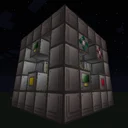
Extreme Reactors · Late game
ComputerCraft Auto-Throttling Reactor Power Station
This late-game Extreme Reactors setup utilizes a Computer Port paired with ComputerCraft to automatically throttle nuclear fuel consumption based on real-time factory power demand. By dynamically adjusting the Reactor Control Rods according to the internal energy buffer percentage, you completely eliminate wasted Yellorium during low-activity periods. Build this smart power station to achieve massive Forge Energy generation while maximizing fuel efficiency across your entire base.
- Footprint
- 9x9x7 blocks
- Power
- ~25 kFE/t to 50 kFE/t peak (check JEI/config for exact coolant multipliers)
- Throughput
- Dynamic Yellorium consumption (~0.01 to 0.5 ingots/min)
- Difficulty
- advanced
Flow diagram
How items, fluids and energy move through the setup, left to right.
Swipe sideways to see the whole diagram
Materials
| Item | Count |
|---|---|
| Reactor Casing | 88 |
| Reactor Glass | 100 |
| Reactor Controller | 1 |
| Reactor Fuel Rod | 25 |
| Reactor Control Rod | 5 |
| Reactor Solid Access Port | 2 |
| Reactor Active Power Tap (FE) | 1 |
| Reactor Computer Port | 1 |
| Diamond Block (or Gelid Cryotheum Buckets) | 100 |
| Advanced Computer | 1 |
| Advanced Monitor | 4 |
| Hopper | 2 |
| Chest | 2 |
Build it step by step
1Construct the 7x7x7 Outer Frame
Build a hollow 7x7x7 cube frame using Reactor Casing along all twelve outer edges. Leave the inner 5x5 faces on all six sides open for now, as these will house your functional ports and viewing glass. Remember that corners and edges must exclusively consist of Reactor Casings for the multiblock to form properly.
2Install the Fuel Rod Core
Inside the 5x5x5 interior, construct five vertical columns of Reactor Fuel Rods arranged in a central plus-sign (cross) pattern. Each column will be 5 blocks tall, consuming 25 Reactor Fuel Rods in total. Directly on top of each column on the roof layer, place a Reactor Control Rod.
3Fill the Interior Moderator
Pack the remaining empty interior spaces around the fuel rod columns with your chosen moderator material. For reliable late-game solid cooling, place 100 Diamond Blocks, Graphite Blocks, or Enderium Blocks (check JEI and modpack configs for the best solid moderator available). Ensure every single interior air block is filled to maximize heat transfer to the casing.
4Embed the Functional Ports
On the front face of the reactor, install the Reactor Controller, one Reactor Computer Port, and two Reactor Solid Access Ports. Set one Access Port to Inlet Mode (for Yellorium) and the other to Outlet Mode (for Cyanite waste). On the rear or bottom face, install the Reactor Active Power Tap (FE) to connect to your base's main energy grid.
5Seal the Multiblock with Reactor Glass
Fill in the rest of the open roof, floor, and wall faces using Reactor Glass or extra Reactor Casings. Once the last block is placed, the multiblock will validate and the Reactor Controller interface will activate. Attach Hoppers and Chests to the Solid Access Ports to automate fuel insertion and waste extraction.
6Wire the ComputerCraft Controller
Place an Advanced Computer directly against the Reactor Computer Port so it wraps the reactor as a peripheral automatically. Optionally, place a 2x2 grid of Advanced Monitors on top of the computer for a live status display. No wired modems are necessary if the computer touches the port directly.
7Program the Auto-Throttling Script
Open the computer terminal and create a startup script (`edit startup.lua`). Write a simple loop that wraps the peripheral (`r = peripheral.find('BigReactors-Reactor')`), calculates the percentage of the internal 10,000,000 FE buffer (`pct = (r.getEnergyStored() / r.getEnergyCapacity()) * 100`), sets all control rods to that exact percentage (`r.setAllControlRodLevels(pct)`), activates the reactor (`r.setActive(true)`), and sleeps for 2 seconds (`sleep(2)`). Reboot the computer to start automated throttling.
How it works
Passive Extreme Reactors possess an internal energy buffer of 10,000,000 FE. Without automation, a reactor runs at a fixed control rod level, continuing to burn Yellorium and generate heat even when the internal energy buffer is 100% full and power has nowhere to go. By introducing a Reactor Computer Port, an external ComputerCraft system can query the exact energy stored inside the reactor every few ticks.
The Lua script creates a proportional feedback loop between the energy buffer and the Reactor Control Rods. When your base consumes heavy power, the reactor's internal buffer drops (for example, down to 20%). The computer reads this value and sets the control rod insertion to 20%, withdrawing the rods by 80% to ramp up nuclear fission and meet the high demand.
Conversely, when your factory goes idle, the internal buffer rapidly fills up toward 95-100%. The script immediately pushes the control rods down to 95-100% insertion, choking the reaction and dropping fuel consumption to a tiny trickle. The cross-pattern placement of the five fuel rod columns ensures optimal fuel-to-fuel irradiation while still exposing enough surface area to the Diamond Block moderators for efficient heat transfer.
Upgrades and scaling
- Replace solid Diamond Block moderators with resonant fluid coolants like Gelid Cryotheum or Liquid Ender for a noticeable boost in thermal conductivity and power output.
- Convert the setup from a passive generator to an active steam reactor by swapping the Power Tap for a Reactor Coolant Port, feeding superheated steam into an Extreme Reactors Turbine.
- Expand the multiblock vertically or horizontally up to 11x11x11, adding more fuel rod columns in a checkerboard pattern as your late-game power demand scales into the hundreds of kFE/t.
- Upgrade the Lua script to display a graphical dashboard on the Advanced Monitors showing core temperature, fuel burn rate in mB/t, and current FE/t generation.
Common mistakes
- Placing functional ports or Reactor Glass on the outer edges or corners of the 7x7x7 cube, which prevents the multiblock from forming.
- Forgetting to set one Reactor Solid Access Port to Outlet Mode, causing Cyanite waste to clog the internal buffer and halt fuel reaction.
- Using Redstone Ports instead of a Computer Port; Redstone Ports can only toggle the reactor on/off or use static presets, leading to inefficient temperature spikes compared to smooth Lua throttling.
- Leaving empty air blocks inside the core instead of filling the entire 5x5x5 space with moderator blocks, which drastically lowers radiation moderation and causes overheating.
FAQ
Can an Extreme Reactor explode if the computer script crashes and leaves the control rods at 0%?
No, Extreme Reactors do not violently explode or destroy blocks. However, running way too hot above 2000°C wastes vast amounts of Yellorium fuel for diminishing power returns.
What peripheral name does ComputerCraft use for the Reactor Computer Port?
Depending on the exact version of Extreme Reactors, the peripheral name is usually 'BigReactors-Reactor' or 'ExtremeReactors-Reactor'. Using `peripheral.wrap('back')` (or whichever side touches the port) avoids name mismatches entirely.
Why use a cross pattern for the 5 fuel rods instead of packing the whole interior with rods?
Fuel rods need adjacent fuel rods to stay warm and fertilize the reaction, but they also require moderator blocks around them to transfer heat to the casing and generate FE. A cross or checkerboard balance is much more fuel-efficient than a solid block of rods.