
 CC: Tweaked
 OpenComputers
CC: Tweaked vs OpenComputers: Choosing Your Minecraft Programming Mod
Bringing real-world coding into Minecraft allows players to automate almost anything using the Lua programming language. CC: Tweaked and OpenComputers are the two titans of programmable automation, offering distinct approaches to virtual computing. While one focuses on immediate accessibility and software, the other demands deep hardware management and infrastructure.
CC: Tweaked
CC: Tweaked is the modern successor to the classic ComputerCraft mod, providing ready-to-use virtual computers and mobile robots called Turtles. It skips hardware tedium so players can immediately start writing Lua scripts to control redstone, monitor inventories, and mine resources. Its streamlined design makes it ideal for players who want to focus purely on coding and rapid automation.
Download CC: Tweaked on 9MinecraftOpenComputers
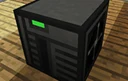
OpenComputers is a comprehensive, modular computing mod that simulates building real hardware from scratch. Players must craft and assemble individual components like motherboards, CPUs, RAM, and hard drives across multiple tiers before booting an operating system. It blends the concepts of ComputerCraft with the technical depth and resource sinks of traditional engineering mods.
Download OpenComputers on 9MinecraftSide by side
| CC: Tweaked | OpenComputers | |
|---|---|---|
| Core Philosophy | Software-first; craft a single computer block and start coding immediately. | Hardware-first; assemble cases, CPUs, memory, and storage before installing an OS. |
| Progression & Cost | Very cheap and flat; comes in simple Standard (stone/iron) and Advanced (gold) tiers. | Steep and expensive; requires microchips, transistors, and multi-tiered components. |
| Power System | Computers require zero energy; Turtles optionally use burnable items like coal for movement. | Strictly requires Forge Energy or RF for both stationary computers and mobile units by default. |
| Mobile Automation | Uses Turtles, which are inexpensive, easy to deploy, and accept simple tool attachments. | Features customizable Robots, Hovering Drones, and Microcontrollers assembled from specific parts. |
| State Persistence | Computers reboot when chunks reload, requiring a startup script to resume disrupted tasks. | Fully persistent; saves exact memory execution states across chunk reloads and server restarts. |
| Graphics & Displays | Basic text and low-resolution color blocks on single-block computers or multi-block monitors. | Advanced multi-block screens driven by dedicated GPU tiers, supporting higher resolutions and depth. |
| Networking | Simple Rednet and modem system using wired cables or wireless range-based transmitters. | Complex network cards, switches, routers, and access points that mimic real-world topologies. |
| 3D Printing & Redstone | Focuses on direct redstone output and bundled cables; lacks native 3D block printing. | Includes a 3D Printer peripheral to create custom decorative block shapes with interactive states. |
| Learning Curve | Gentle; comes with a built-in OS, intuitive APIs, and decades of community scripts. | High; requires learning hardware compatibility, operating system installation, and component addressing. |
| Version Availability | Actively maintained on the newest Minecraft versions for both Forge, NeoForge, and Fabric. | Dominates classic versions like 1.7.10 and 1.12.2, with successor ports like OpenComputers II on newer releases. |
Pick CC: Tweaked if...
- You are playing on modern Minecraft versions and want strong support across Forge or Fabric.
- You want to focus purely on writing Lua scripts without crafting dozens of microchips and circuit boards.
- You want quick, low-cost mining and farming automation early in your survival world.
- You are a beginner to programming and want access to a massive library of easy-to-read tutorials.
Pick OpenComputers if...
- You enjoy the engineering challenge of building custom PCs and balancing hardware budgets.
- You play expert-style tech modpacks (especially in 1.12.2) where automation should require power and infrastructure.
- You hate writing recovery scripts for robots that get interrupted when a chunk unloads.
- You want to build custom 3D-printed blocks, flying drones, or holographic projections.
Using both together
CC: Tweaked and OpenComputers can be installed in the same modpack without technical conflicts, and some kitchen-sink packs include both. In fact, OpenComputers includes native compatibility that allows its Adapter blocks to interface with CC: Tweaked peripherals, and they can even exchange network messages under the right setup. However, running both is usually redundant for an average playthrough; players typically gravitate toward CC: Tweaked unless a modpack specifically gates its recipes to enforce OpenComputers' hardware progression.
Verdict
Both mods turn Minecraft into a rewarding programming sandbox, but they serve very different playstyles. CC: Tweaked is the undisputed king of accessibility and modern version support, making it the best choice for players who view computers as a straightforward tool to write code and automate builds. OpenComputers is a game within a game, tailored for hardcore tech enthusiasts who believe powerful automation should be earned through power generation, hardware engineering, and resource investment.
FAQ
Which programming language do both mods use?
Both mods use Lua as their primary programming language, making it relatively easy to transfer your coding skills from one mod to the other.
Why do my CC: Tweaked Turtles stop working when I walk away?
When a chunk unloads, CC: Tweaked computers shut down and lose their active memory. When you return, they reboot from scratch unless you program a 'startup' file to check their position and resume work, whereas OpenComputers pauses and saves the exact execution state.
Can these mods control blocks from other tech mods?
Yes, both mods can read energy levels, monitor fluid tanks, and control machines from other mods, though modern CC: Tweaked often relies on companion addons like Advanced Peripherals for deeper integration.
Do these mods cause server lag?
Both mods are heavily optimized and run their Lua code in separate threads or strict tick budgets, meaning poorly written player loops will pause or crash the virtual computer rather than lagging the Minecraft server.