
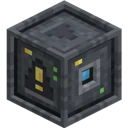
Actually Additions · Setup guide · Intermediate
Storage & Sorting Guide: Giant Chests, ESD, and Phantomfaces
Managing vast amounts of loot in Actually Additions does not require complex digital networks when you combine Small Storage Crates, the Energized Servo Device (ESD), and Phantomfaces. This guide teaches you how to build a massive, wireless sorting and storage facility that keeps your base clean and lag-free. By mastering directional inventory routing and wireless block proxies, you will unlock high-capacity automation early in your technological progression.
What you need
- Atomic Reconstructor (with a stable power source like a Coal Generator or Canola Press setup)
- Empowerer and 4 Display Stands (for mid-to-late tier storage upgrades and Phantom components)
- Small Storage Crates (plus Medium and Giant Storage Crate Keeper Upgrades as needed)
- Chest to Storage Crate Upgrades (optional, for converting existing vanilla chests)
- Energized Servo Device (ESD)
- Phantomfaces (Phantom Blockfaces) and a Phantom Connector
- Phantom Boosters (optional, for extending wireless range)
- Restonia, Palis, Enori, Diamatine, and Void Crystals
Step by step
1Craft and Deploy Small Storage Crates
Begin by crafting Small Storage Crates using Wood Casings and Chests, then place them in a dedicated storage room. Even at the base tier, a single Small Storage Crate offers significantly more inventory slots than a vanilla double chest while occupying only a single block space. If you already have full vanilla chests sitting around, hold a Chest to Storage Crate Upgrade and sneak-right-click the chest to convert it in-place without spilling your items.
Tip: Unlike vanilla chests, Storage Crates do not require an empty block above them to open, allowing you to stack them tightly from floor to ceiling.
2Scale Capacity with Keeper Upgrades
As your resource collection grows, craft Medium and Giant Storage Crate Keeper Upgrades using your Atomic Reconstructor and Empowerer crystals. To apply an upgrade, hold it in your hand and sneak-right-click directly on a placed Small Storage Crate. This expands the crate into multiple scrollable pages of inventory slots without changing its single-block footprint.
Tip: Always craft Void Crystal blocks and Empowered Diamatine in bulk, as higher-tier crate upgrades demand advanced crystal tiers—check JEI or your Actually Additions booklet for the exact recipes in your mod version.
3Install the Energized Servo Device (ESD)
Place an Energized Servo Device (ESD) directly adjacent to your primary input crate or processing machine, ensuring the active face points toward the target inventory. The ESD acts as a smart, configurable item router that can pull items from one inventory and push them into another with precise filtering. Right-click the ESD to open its interface, where you will see two main sections: input/output configuration and filter slots.
Tip: Pay close attention to the visual markings on the ESD block model when placing it so you know which side is pulling and which side is pushing.
4Configure ESD Filters and Sided Routing
Inside the ESD GUI, place sample items into the filter grid to dictate exactly what the machine is allowed to move. Adjust the toggle buttons to switch between Whitelist and Blacklist modes, and set the specific block sides (Top, Bottom, North, South, East, West) that the ESD should extract from and insert into. You can also toggle whether the ESD respects NBT data, durability, or tags, making it ideal for separating damaged mob drops from clean ingots.
Tip: Set the ESD to pulse mode if you only want to transfer exact batches of items upon receiving a Redstone signal.
5Link a Phantomface for Wireless Access
To load or unload a Giant Storage Crate from another room without running messy pipes, place a Phantomface next to your distant ESD or furnace array. Take your Phantom Connector, sneak-right-click the Giant Storage Crate to store its coordinates, and then sneak-right-click the placed Phantomface to establish the wireless link. The Phantomface now acts as a physical clone of that crate's inventory.
Tip: When you hold the Phantom Connector near a linked Phantomface, particle effects or visual indicators will confirm which remote block it is bound to.
6Extend Range with Phantom Boosters
By default, a Phantomface can only maintain a connection over a short distance (check the in-game manual for the exact base block radius). If your storage vault is far away from your sorting machines, place Phantom Boosters directly on top of the Phantomface. Stacking up to three Phantom Boosters on a single Phantomface drastically multiplies its effective range, allowing cross-base wireless sorting.
Tip: Phantomfaces do not consume Forge Energy (FE) to transfer items, making them one of the most power-efficient wireless routing tools available.
How it works
Storage Crates achieve their massive density by bypassing vanilla chest rendering and utilizing multi-page GUI arrays. Because the crate is treated as a single tile entity with an expanded slot index, automation tools like hoppers, Item Lasers, and the ESD can scan and fill all internal pages seamlessly as if it were one continuous chest.
The Energized Servo Device (ESD) operates on directional tick checks. Instead of acting like a passive pipe, it actively queries the inventory on its designated 'extract' side and compares those items against its internal filter matrix. When a match is found, it pushes the item stack directly into the specified 'insert' side of the receiving block, allowing it to pull from the bottom of a furnace or push into the specific input slot of a Crusher.
A Phantomface works as a tile-entity proxy. It has no internal inventory of its own; instead, when an adjacent ESD or hopper tries to insert an item into the Phantomface, the code forwards that capability query directly to the coordinates of the linked Storage Crate. To the ESD, it feels like the Giant Storage Crate is sitting right next to it.
Common mistakes
- Breaking a full Storage Crate without a Crate Keeper: If you break a Storage Crate normally, it drops all of its hundreds of item stacks onto the ground, causing severe lag. Craft a Crate Keeper and put it inside the crate (or sneak-right-click depending on version) before mining it to retain its inventory.
- Forgetting to bind the Phantom Connector correctly: Simply right-clicking a Storage Crate will open its inventory instead of saving its coordinates. You must hold Sneak (Shift) while right-clicking both the target crate and the Phantomface.
- Placing Phantom Boosters on the target crate: Phantom Boosters must be stacked directly on top of the Phantomface itself, not on the Storage Crate or machine being linked.
- Mismatched ESD side settings: If your ESD is not moving items, you likely configured the internal GUI to extract from the wrong cardinal direction (North/South/East/West) of the target machine. Double-check your F3 debug screen or test sides one by one.
FAQ
Do Phantomfaces work across different dimensions?
No, Phantomfaces only work within the same dimension and require both the Phantomface and the target Storage Crate to be in loaded chunks.
Does the ESD require power to move items?
Check JEI and the machine GUI for your specific version, as the ESD generally requires a small connection of Forge Energy (FE) or Redstone control to operate its active servo sorting.
Can I connect multiple Phantomfaces to a single Giant Storage Crate?
Yes, you can bind multiple Phantomfaces to the same crate, allowing you to pull and push items into one central vault from several different workshops simultaneously.
How does the ESD differ from an Item Laser Relay?
Item Laser Relays are designed for multi-node network distribution across a room, whereas the ESD is a point-to-point precision router designed to interact with specific sides and slots of adjacent blocks.
By combining the dense storage of Giant Crates with the directional filtering of the ESD and the wireless proxy capabilities of Phantomfaces, you can build a clean, pipe-free automated storage facility.