
Actually Additions · Explained · Beginner
Atomic Reconstructor Explained: Lenses, Crystals & Redstone Modes
The Atomic Reconstructor is the single most important gateway machine in Actually Additions, responsible for shooting a high-energy laser that transforms ordinary vanilla resources into advanced modded crystals. Mastering this block early on is mandatory, as you cannot craft mid-to-late-game machines, wireless laser relays, or advanced tools without the materials it produces. This guide covers how to power it, prevent massive energy drains using Redstone modes, craft every crystal type, and utilize functional Lenses.
What you need
- 1 Atomic Reconstructor (crafted with Iron Ingots, Redstone, and an Iron Casing)
- 1 Coal Generator or any Forge Energy (FE) / Crystal Flux (CF) power source
- 1 Redstone Torch (required to toggle the machine's firing mode)
- 1 Stone Button or Pressure Plate (for manual laser triggering)
- Vanilla base materials: Redstone, Iron Ingots, Coal, Lapis Lazuli, Diamonds, Emeralds, and Sand
- Actually Additions Manual or JEI (Just Enough Items) for checking exact energy values
Step by step
1Place and Orient the Atomic Reconstructor
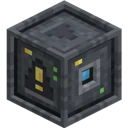
Place the Atomic Reconstructor down with its dark circular emitter lens facing a clear, open area of at least two blocks. Do not place it directly facing your fragile base walls or storage chests, as the laser beam travels up to 10 blocks forward and can alter blocks in its path. Place a dirt or cobblestone backstop two blocks away from the front lens to safely catch the beam.
Tip: You can place the Reconstructor facing straight up or straight down if you want to build compact vertical automation later.
2Switch to Pulse Mode Immediately
Before connecting any power, craft a Redstone Torch and hold it in your main hand. Right-click the Atomic Reconstructor with the Redstone Torch to switch its mode from 'Deactivation' to 'Pulse'. You will see a brief status message on your screen confirming the mode change. Next, attach a Stone Button directly to the side of the Reconstructor or on an adjacent block.
Tip: Skipping this step is the number one reason beginners run out of power, because the machine fires nonstop by default.
3Connect a Power Source
Place a Coal Generator (or any compatible FE power cable) directly against the back or side of the Atomic Reconstructor. Insert coal or charcoal into the Coal Generator to begin charging the Reconstructor's internal energy buffer. Because you already switched it to Pulse Mode, the machine will quietly store this energy and wait for your command instead of firing wildly into the air.
Tip: Hover your cursor over the Atomic Reconstructor while holding the Actually Additions Manual or looking at your HUD overlay to monitor its internal Crystal Flux (CF) buffer.
4Create Your First Batch of Crystals
Stand next to the one-block gap between the Reconstructor's lens and your backstop block. Open your inventory or press your drop key (Q by default) to throw a handful of Iron Ingots and Redstone Dust onto the ground directly in front of the lens. Press the Stone Button once; the Reconstructor will fire a single laser beam, instantly converting the dropped items into Enori Crystals and Restonia Crystals.
Tip: You can also place full Mineral Blocks (like a Block of Iron or Block of Redstone) in front of the beam to convert 9 items at once with zero risk of dropped items despawning.
5Produce All Six Core Crystal Types
Repeat the dropping and pulsing process using the remaining vanilla minerals to unlock the mod's full crafting tree. Drop Lapis Lazuli to make Palis Crystals, Coal to make Void Crystals, Diamonds to make Diamatine Crystals, and Emeralds to make Emeradic Crystals. If you need Soul Sand for the Nether or crafting, place regular Sand blocks in front of the beam and fire it.
Tip: Convert a whole stack of items at the same time by throwing the entire stack on the ground—as long as the Reconstructor has enough stored energy for every item in the stack, one laser pulse will convert all of them simultaneously.
6Craft and Attach a Functional Lens
To unlock advanced recipes and world interactions, craft a basic Lens using Glass and Black Quartz, followed by a specialized lens like the Lens of Color or Lens of Detonation (check JEI for exact crafting recipes). Hold the Lens in your hand and right-click the front face of the Atomic Reconstructor to snap it onto the emitter. To remove or swap a Lens later, simply right-click the front of the machine with an empty hand.
Tip: Attaching a Lens permanently changes how the laser behaves until you take it off; you cannot craft basic crystals while certain utility lenses are installed.
How it works
The Atomic Reconstructor operates on a directional raycast mechanic. When triggered, it checks its internal energy buffer and fires a laser beam up to 10 blocks in the direction it faces. Any valid dropped item entities floating within the beam's path, or valid solid blocks placed directly in front of it, are checked against the mod's conversion registry. Rather than charging a flat fee per laser shot, the machine deducts energy dynamically based on what it actually transforms—converting a single piece of Redstone costs a small amount of energy, while converting a whole stack of Diamonds or a Block of Emerald in one shot requires a massive spike of stored power.
Understanding the two Redstone modes is critical for power management. In its default 'Deactivation' mode, the Reconstructor behaves like an always-on turret: the moment its internal energy buffer has enough power to fire, it shoots a beam, wasting energy even if nothing is in front of it. Applying a continuous Redstone signal (like a Lever) turns it off. Switching it to 'Pulse' mode with a Redstone Torch reverses this logic completely: the machine stays idle and holds onto its power indefinitely, firing exactly one energy-efficient shot each time it receives a brief Redstone tick from a Button, Pressure Plate, or Observer.
Lenses act as hardware modifiers that intercept and alter the laser's properties before it leaves the block. While an unmodified laser performs atomic conversion (turning minerals into crystals), attaching a Lens changes the beam's recipe table or physical behavior. For example, the Lens of Color cycles the dye color of Wool, Glass, or Terracotta placed in front of it; the Lens of Detonation causes the beam to explode upon hitting a block at the cost of massive energy; the Lens of the Miner turns Stone into random ores; and the Lens of Certain Death turns the machine into a high-damage mob grinder.
Common mistakes
- Leaving the machine in Deactivation Mode: Beginners often hook up a generator first and watch helplessly as the Reconstructor fires empty beams every few seconds, draining all their coal. Always right-click with a Redstone Torch before connecting power.
- Trying to convert Charcoal instead of Coal: Void Crystals specifically require regular mined Coal or Blocks of Coal. Dropping Charcoal in front of the beam will do nothing, and the laser will pass right through it.
- Firing at a massive stack without enough stored energy: If you throw 64 Diamonds in front of the beam when the Reconstructor is only half full of energy, it will only convert as many Diamonds as it can afford, leaving the rest unconverted on the ground. Wait for the internal buffer to fill before pulsing large stacks.
- Leaving a utility Lens attached during crystal crafting: If you attach a Lens of Color or Lens of the Miner and then drop Iron Ingots in front of the laser, they will not turn into Enori Crystals. Remove the Lens with an empty hand when returning to basic crystal production.
FAQ
How do I automate the Atomic Reconstructor without clicking a button?
For a simple vanilla automation setup, put the Reconstructor in Pulse Mode and place a Wooden Pressure Plate on the ground directly in front of the lens. When a Dropper or Conveyor Belt drops an item onto the plate, the item's weight triggers the Redstone pulse automatically, firing the laser once.
What is the difference between crystals from the Atomic Reconstructor and Empowered Crystals?
The Atomic Reconstructor creates basic crystals (like Restonia or Diamatine). Empowered Crystals are tier-two materials made later by placing those basic crystals onto an Empowerer surrounded by Display Stands and four specific modifier items.
Can the Atomic Reconstructor laser hurt players or destroy my base?
The default unmodified laser causes zero damage to players, mobs, or normal building blocks. However, if you attach the Lens of Detonation or the Lens of Certain Death, the beam becomes dangerous and will blow up blocks or damage entities in its path.
Why is my Reconstructor not firing when I press the button?
Check three things: ensure the machine has enough stored Crystal Flux (CF) in its buffer, verify that you actually switched it to Pulse Mode with a Redstone Torch, and make sure the button is placed directly on the machine or powering the block adjacent to it.
By switching the Atomic Reconstructor to Pulse Mode with a Redstone Torch and swapping Lenses as needed, you can efficiently convert vanilla minerals into every core crystal required to progress through Actually Additions.